Pest control software migration checklist: from first demo to go-live
Prepare your pest control software migration with checks for AI workflows, records, payments, technician readiness and a clear launch handoff.
Last updated
A pest control software migration needs more than a successful data transfer. Your team needs an accurate schedule, usable service records, working payments and a clear handoff for customer requests. This checklist turns those requirements into practical acceptance checks before launch.
For a move to Solea, start with the outcome: an end-to-end AI platform that takes routine back-office work off your team’s plate. Test AI call handling, scheduling, payment automation and AI-assisted reporting alongside the field workflows that keep customers informed.
1. Name the owners and define success
Choose one person in your office to coordinate the move. Involve whoever owns scheduling, billing and commercial records, and agree on responsibilities with Solea’s implementation contact.
Write down what a successful first week looks like: technicians receive the right visits, customers get the expected communication, charges match the account setup and staff can retrieve service history. Add the office tasks you want AI to take over.
Review your current agreement’s renewal and notice terms. Ask your current provider about available exports and continued access to records. Establish those details before committing to the handoff date.
2. Bring representative accounts to the demo
Use accounts that reveal the difficult parts of your operation. A straightforward residential visit will not test a commercial device program or an account with an overdue balance.
| Sample account | Acceptance check |
|---|---|
| Recurring residential customer | Confirm the property, frequency, upcoming visit, customer constraints and billing arrangement. |
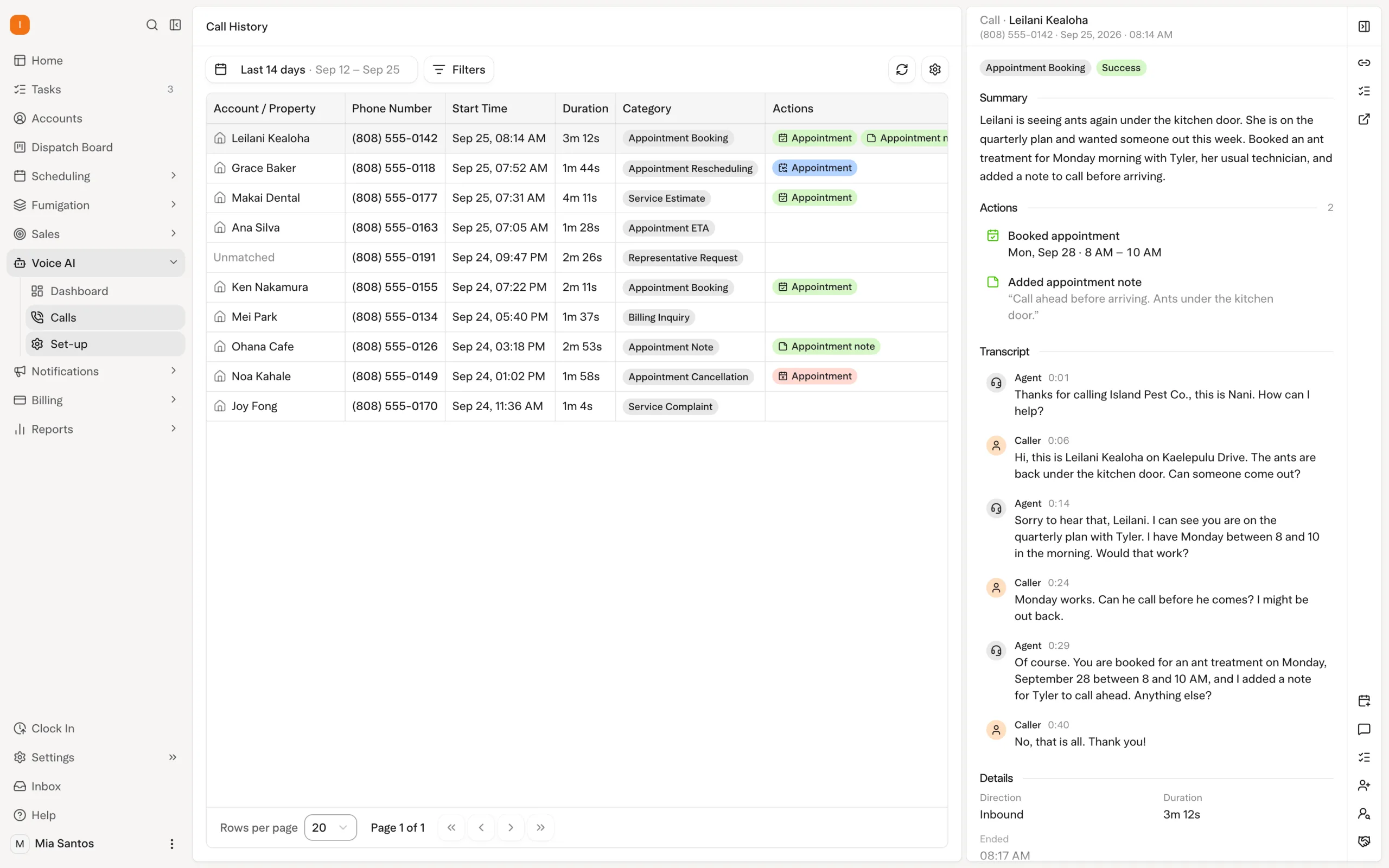
| Customer requesting a change | Demonstrate the AI voice agent’s enabled actions and how it follows scheduling rules or hands the call to a person. |
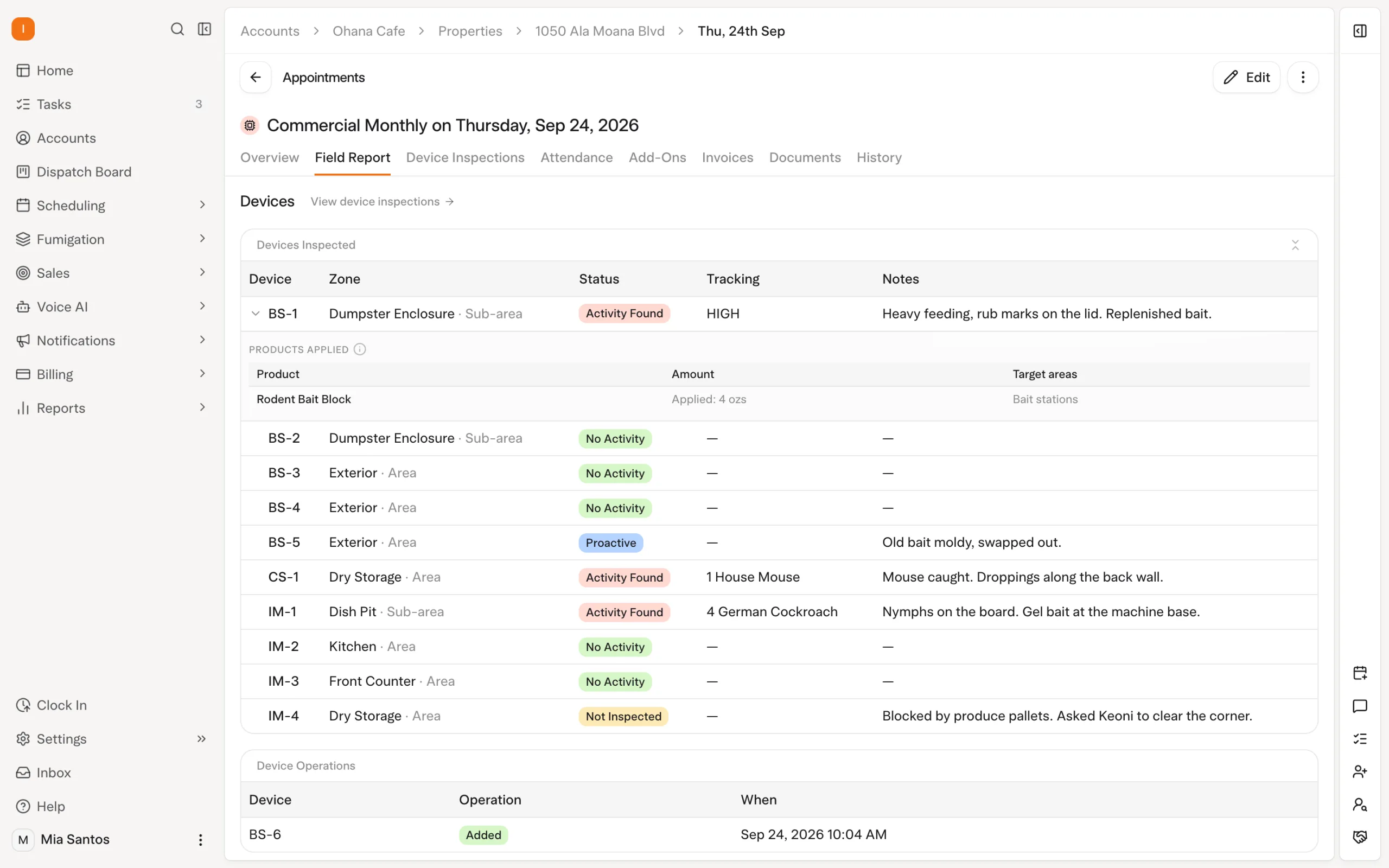
| Commercial property | Walk through devices, findings, product recording and the report the customer needs. |
| Termite or WDO customer | Bring the actual documents your team uses and check the proposed inspection and reporting workflow. |
| Customer with an open balance | Check the balance, payment readiness and configured follow-up messages. |
Compare the complete workflow, including what the office needs to do after each step. Explore Solea’s field-service platform.
3. Agree on data scope and prove retrieval
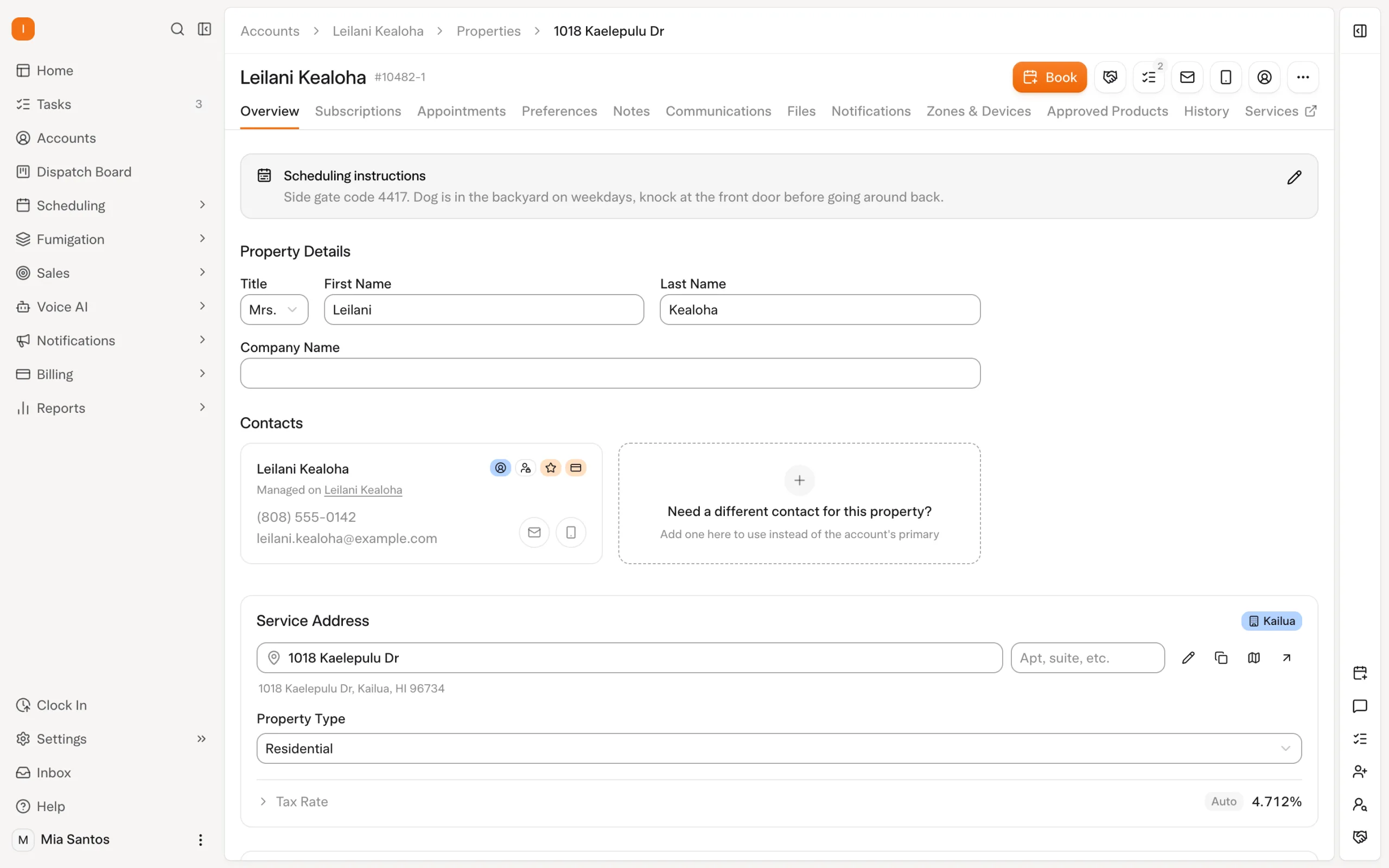
List the records you want to move: customers, properties, recurring work, appointments, balances and service history. Then discuss specialized items individually, including attachments, chemical applications, device histories and WDO documents.
For every record type, agree on its destination and how staff will retrieve it. Some information may need an accessible archive rather than a direct import. Do not assume that transferring a customer also transfers every related document.
After the initial transfer, compare sample accounts with the source records. Check relationships and upcoming work as well as totals. Ask an office employee to find a historical visit and answer a realistic customer question using the proposed setup.
4. Rehearse the AI before customers rely on it
Set the rules the automation should follow, then test representative situations. Your team should understand both what happens automatically and when it needs to step in.
| Automation | What to verify |
|---|---|
| AI voice agent | Test enabled booking, rescheduling and cancellation actions, coverage rules and the configured handoff during and after office hours. |
| AI scheduling | Review technician shifts, skills, customer constraints, locked visits and the freeze window against a real week of appointments. |
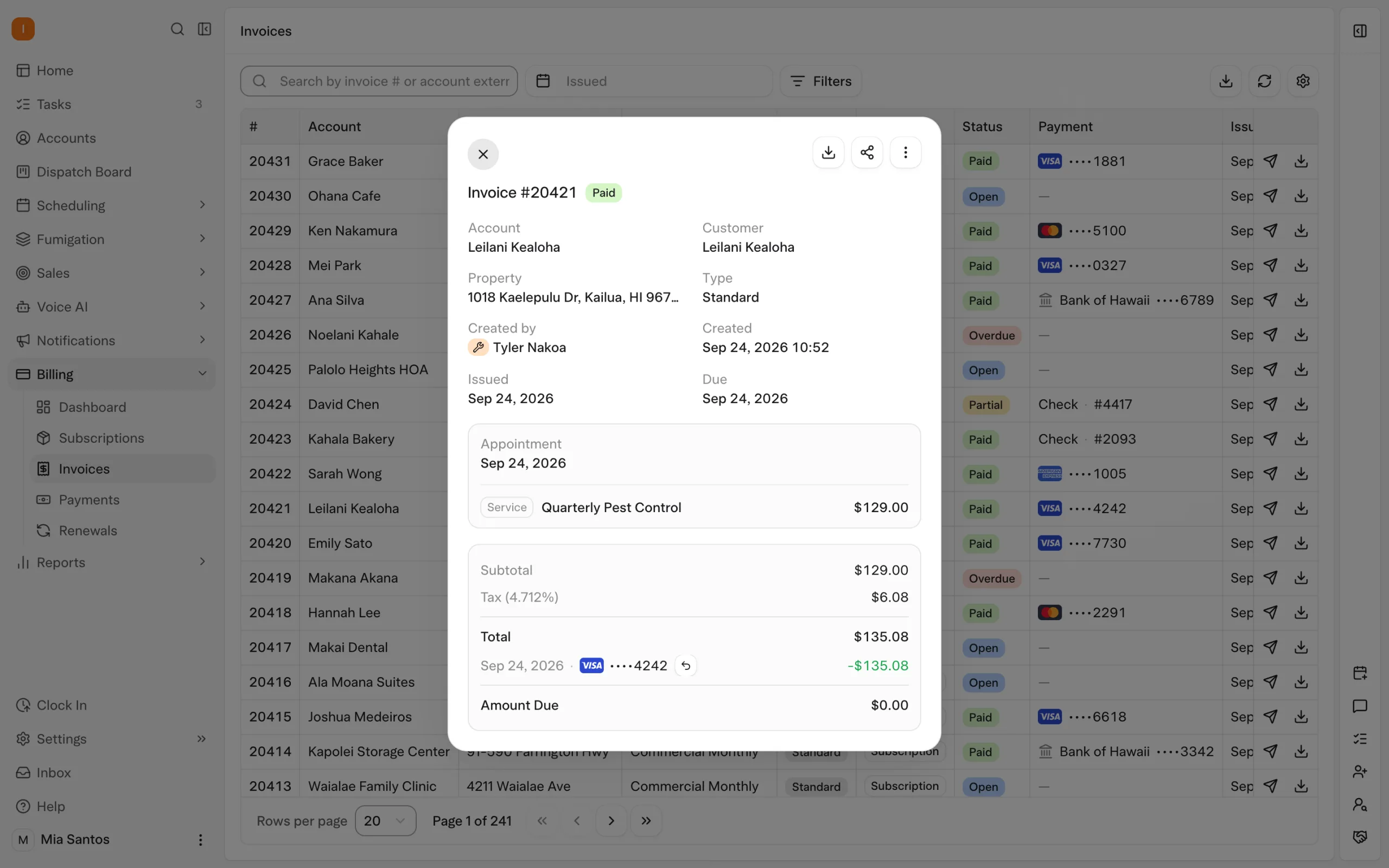
| Payment automation | Confirm the intended auto-charge trigger, saved-payment readiness and receipt settings on representative accounts. |
| Collections | Review the conditions and timing for overdue reminders, including the intended payment link and who handles exceptions. |
| AI-assisted reporting | Demonstrate the management questions your team needs answered using representative records and confirm the available workflow. |
Solea’s overnight scheduling optimization runs at 3 a.m. office time and can look up to 45 days ahead. A dry run lets the team inspect an optimization before starting a separate live run. Use that rehearsal to check the rules before launch.
Explore AI scheduling and the AI voice agent.
5. Check field records and customer reports
Have technicians rehearse a visit from the assigned schedule through inspection, treatment recording and the customer report. Test it on the devices they will actually use.
Solea lets technicians scan devices and record findings, photos and products used. EPA product lookup fills in product details, and mix calculations reduce repeated calculation work. These records sit in the same platform as the AI handling customer calls and scheduling.
Check a property with a device that cannot be inspected: an uninspected device needs a reason before the visit closes. Also rehearse a low-signal situation. Product records saved with device inspections can sync later, while completing the appointment requires a connection.
Review the final customer report for the expected findings, products, photos and signatures. Bring any required WDO form to the demonstration and confirm its fit separately. Review chemical tracking and inspection workflows.
6. Treat payments as their own workstream
A customer being present in the new system does not mean the saved payment method is ready. Solea uses Stripe, and its implementation lead begins billing migration after the Stripe account is connected.
Agree on payment-transfer responsibilities early. Reconcile balances and confirm each sample account’s next charge, unpaid invoices and notification settings. Define which system owns collection during the transition so a customer does not receive duplicate charges or reminders.
The goal is to let payment and collections automation handle repeated office work from an accurate starting point. Explore billing and payments.
7. Work backward from an illustrative launch date
The following calendar uses a fictional November 16, 2026 launch. It is a planning example, not a standard Solea migration duration. Your implementation lead and payment processor should help establish the actual dates.
| Example checkpoint | What should be ready |
|---|---|
| October 5 · Six weeks before | Owners, scope, export arrangements and payment-transfer planning. |
| October 19 · Four weeks before | Initial account checks, historical-record retrieval and a list of corrections with owners. |
| October 26 · Three weeks before | Role-based training and rehearsals for AI call handling, routes, field records, payments and reporting. |
| November 2 · Two weeks before | A reviewed service week, accepted sample reports and confirmed billing progress. |
| November 9 · One week before | A go/no-go decision based on data, payments and team readiness, plus an agreed final-update process. |
| November 16 · Launch day | Final checks completed, a clear handoff and staff working from the agreed schedule. |
| November 17–23 · First week live | Review of route exceptions, reports, charges and customer messages with the agreed support contact. |
Keep the current operation running under the agreed transition arrangement until the new setup is ready. Move the launch if a customer-critical dependency is unresolved.
8. Make the handoff explicit
Before launch, everyone should know where new bookings, field records and payments belong, who resolves exceptions and how final changes reach Solea. Confirm the support contact and escalation path for an issue that could affect a customer’s visit or charge.
Able Pest Management’s published FieldRoutes migration shows why the milestones matter. Its initial data transfer took three days, but its complete rollout also included payment preparation, training and checks before the July 27, 2026 launch. Initial transfer speed and full operational readiness are different milestones. Read Able’s migration story.
Bring this checklist to a migration walkthrough, agree on your requirements and request a quote. For platform-specific preparation, read the guides to switching from FieldRoutes and switching from PestPac.
Frequently asked questions
- What should a pest control software migration checklist cover?
- Include ownership, data scope, record retrieval, customer calls, scheduling, inspections, payments, staff training and the final handoff. For a move to Solea, also test the AI and automation your team will rely on. Assign an owner and acceptance check to each area before launch.
- What data does Solea migrate?
- Agree on your exact scope with the implementation team. Able’s published move included customers, properties, subscriptions, contracts and service history. That case does not establish universal coverage. Confirm specialized histories, attachments and financial records individually, then validate sample accounts in their destination.
- Should we run old and new systems in parallel?
- Agree on a transition arrangement that keeps service running while you check the new setup. Define which system owns bookings, completed visits and payments at each stage, and how updates reach Solea. Avoid leaving staff to decide where to enter live work themselves.
- How should we handle chemical and WDO history?
- Confirm what transfers and what requires a separate archive, then test retrieval before retiring the old workflow. Demonstrate new treatment and inspection recording separately. The ability to create a new report does not establish how a historical report or its attachments will be imported.
- What should we test in Solea’s AI workflows?
- Test enabled voice-agent actions and handoffs, route optimization constraints, payment triggers and overdue-reminder rules. Include AI-assisted reporting in the demonstration. Use representative accounts so your team can see which office tasks the system completes and which exceptions require their attention.
- What about recurring plans and saved payments?
- Check service frequency, upcoming visits, balances and billing arrangements. Treat saved-payment readiness as a separate dependency from customer-data transfer. Connect Stripe, confirm the migration process with the implementation lead and establish which system collects each payment during the transition.
- How long should we allow for migration?
- Build the schedule around data scope, payment readiness, training and acceptance checks. The six-week calendar in this article is fictional, not a delivery promise. Agree on the actual milestones before committing to launch, and move the date if an essential dependency is not ready.
- Who should sign off before go-live?
- The project owner should coordinate acceptance with scheduling, billing and field-work leads, plus whoever owns specialized records. Agree on responsibilities with Solea’s implementation contact. Launch approval should reflect demonstrated readiness across those areas and a clear plan for support and exceptions.


 Overnight