Pest control field service management: how AI connects the whole operation
Solea connects pest control calls, scheduling, field work, payments and reporting in an AI-native platform that automates back-office work.
Last updated
Pest control field service management software connects the office and the field: customer communication, scheduling, routes, service records, billing, payments and reporting. Solea brings these functions together in an end-to-end, AI-native platform, built to automate back-office work so your team can focus on giving customers a great experience.
For an owner or office manager, the useful question is what happens between those functions. After a customer calls, who books the appointment? After the visit, who processes payment? When you need to understand performance, how much work goes into finding the answer?
Those handoffs are where to evaluate the platform.
What pest control FSM software needs to connect
Field service management, often shortened to FSM, covers the work from a customer’s first request through the completed service and payment. Pest control adds recurring visits, treatment records, device inspections and customer preferences that need to carry through each step.
An end-to-end platform should let you follow that entire journey. Solea’s approach brings AI and automation into the office work around it, including customer communication, scheduling, payments and reporting.
| Part of the operation | What Solea takes on |
|---|---|
| Customer calls and appointment requests | The AI voice agent handles enabled booking, rescheduling, cancellation and appointment-note actions. |
| Scheduling and route planning | Overnight optimization plans upcoming routes around drive times, working hours, required skills and customer constraints. |
| Changes to a booked visit | The voice agent can handle an enabled rescheduling request; route timing recalculates automatically after the appointment changes. |
| Completed work and payment | Auto-charge processes the saved payment method through the applicable completion workflow; configured notifications send receipts. |
| Overdue invoices | Configured reminder triggers send payment follow-ups by email or text, with payment links included in the templates. |
| Understanding the business | AI-assisted reporting is part of the same platform, bringing AI into the management workflow as well as day-to-day administration. |
The purpose is fewer administrative steps between a customer asking for service and your team delivering it. Explore Solea for owners.
Start with the customer’s call
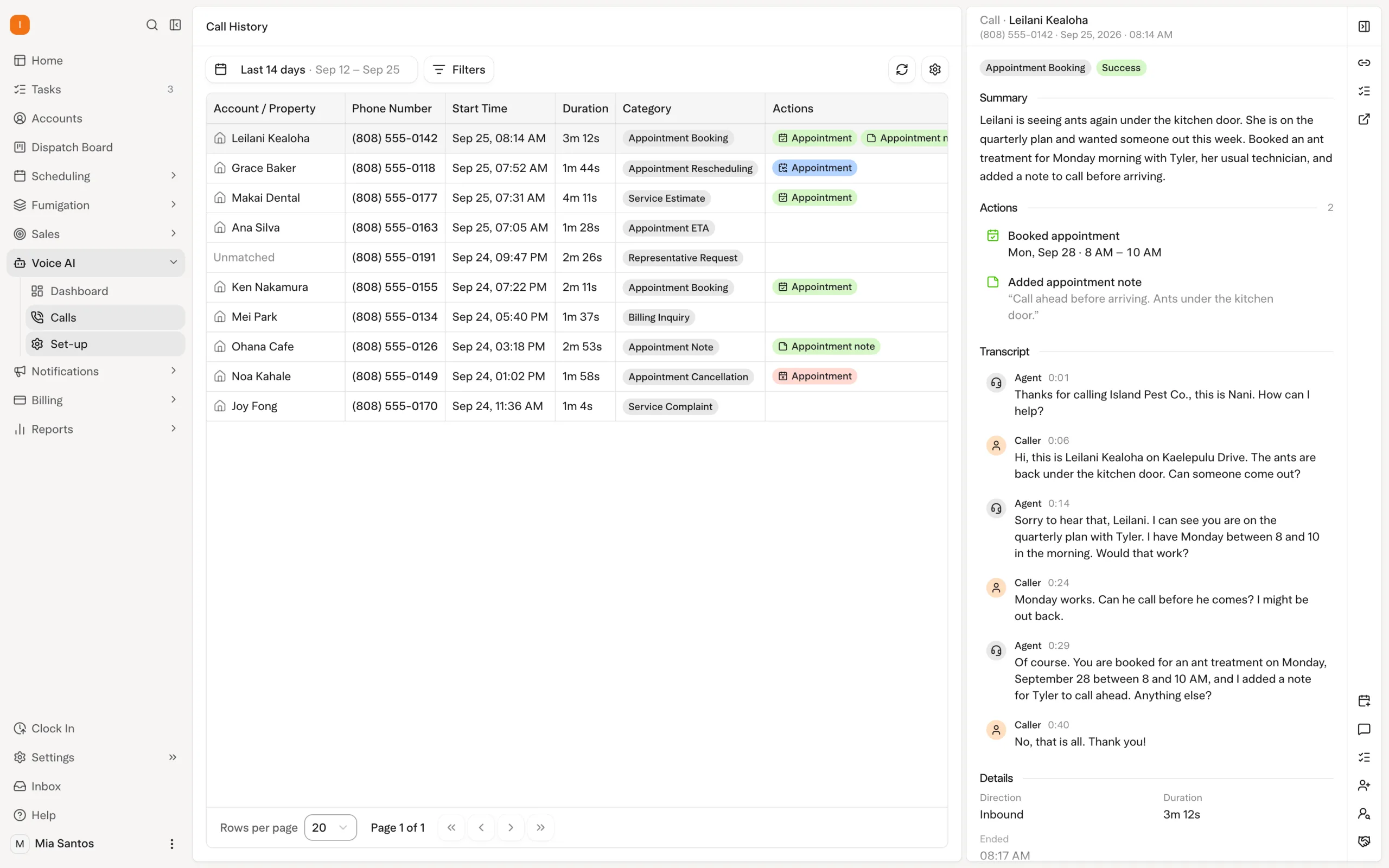
A customer calls about a pest problem or needs to move an existing appointment. Solea’s AI voice agent can take the supported appointment action during that conversation.
The office chooses which actions are enabled. The agent follows scheduling and account rules, including service-area coverage and times the route can support. Calls that need a person follow the handoff rules configured for office hours and after hours.
This is the first part of the end-to-end workflow: the conversation can become a booked or updated appointment without the office having to repeat that booking step. Your team can spend its attention on customers who need a person’s help. Explore the AI voice agent.
Let AI plan the upcoming work
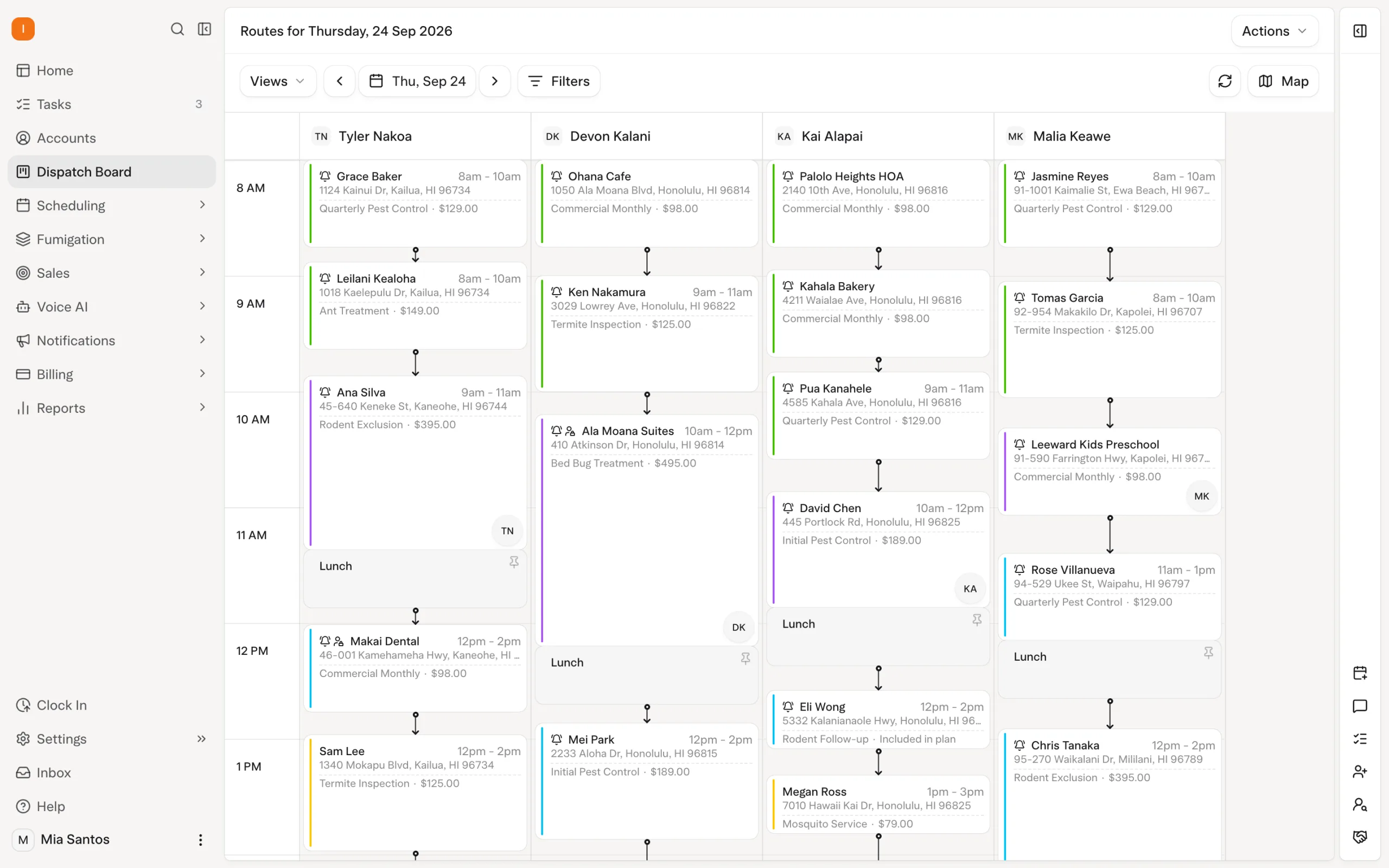
Once appointments are in the schedule, Solea’s scheduler optimizes upcoming routes overnight. The run happens at 3 a.m. office time and can look up to 45 days ahead.
It works with required skills, working hours, customer constraints and drive times between stops. Appointment locks and the freeze window constrain which visits it can move, keeping the automation within the rules your office sets.
The office’s role is to set the operating requirements and handle exceptions. Solea takes on the repeated planning and optimization work. When an appointment is booked, rescheduled or cancelled, route timing also recalculates automatically; redistributing work happens through an optimization run. Explore AI scheduling and dispatch.
Connect the service visit to the back office
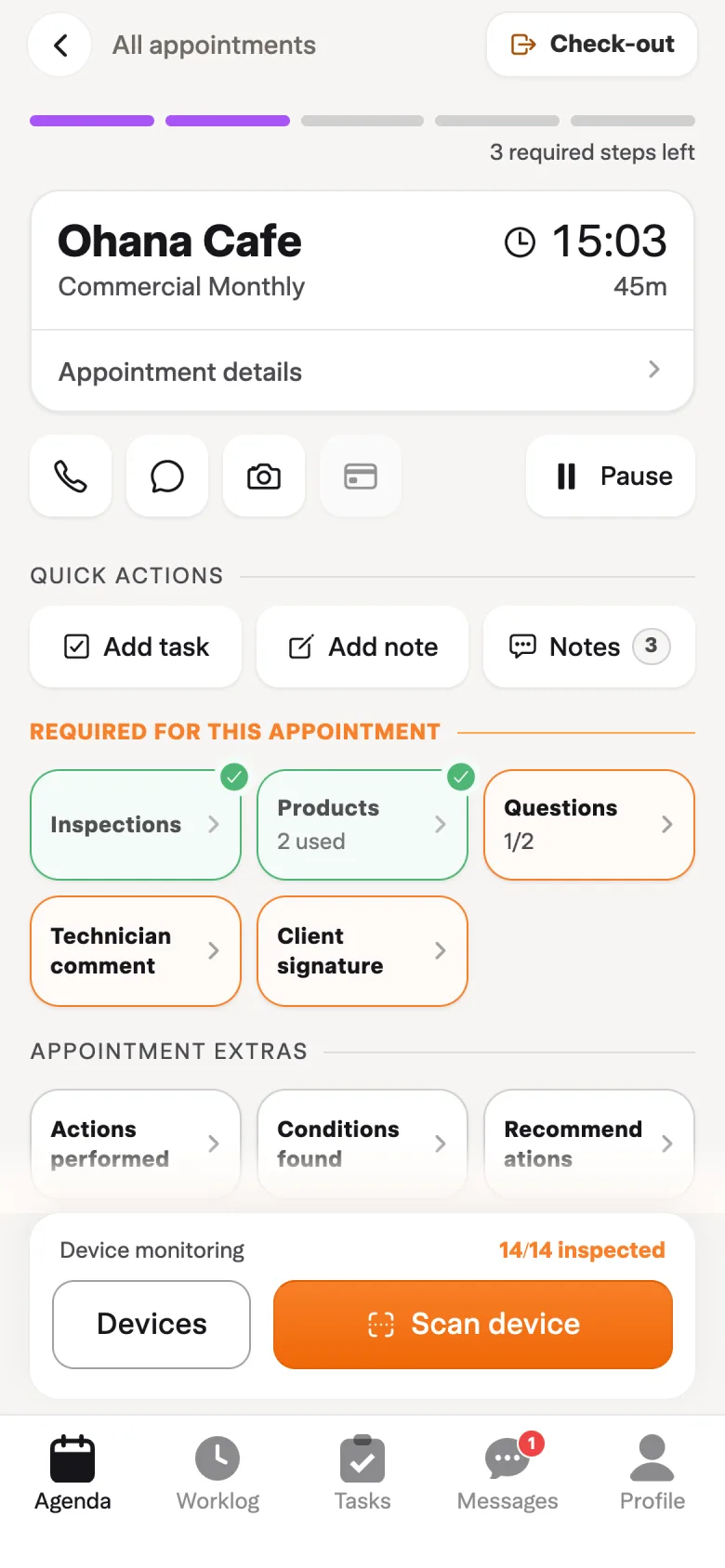
The technician’s visit is where the planned work becomes a delivered service. Solea’s field app connects that work to the broader platform, so the customer journey can continue into billing and payment.
Technicians record the work performed, including device inspections and products used. In a device inspection, the app can show concentrate and water amounts from the total mix entered and warn when dilution differs from the expected rate.
These records support the service your team delivers. The automation continues around that work: AI handles supported appointment requests, the scheduler plans upcoming routes, and configured payment workflows handle collection after service.
On the demo, follow one appointment from the AI booking through the technician’s completion step. Check how the service record and payment fit together. Explore the field app and chemical tracking.
Carry automation through to getting paid
Payments belong in the same evaluation as scheduling. A completed visit should have a clear path to a paid invoice.
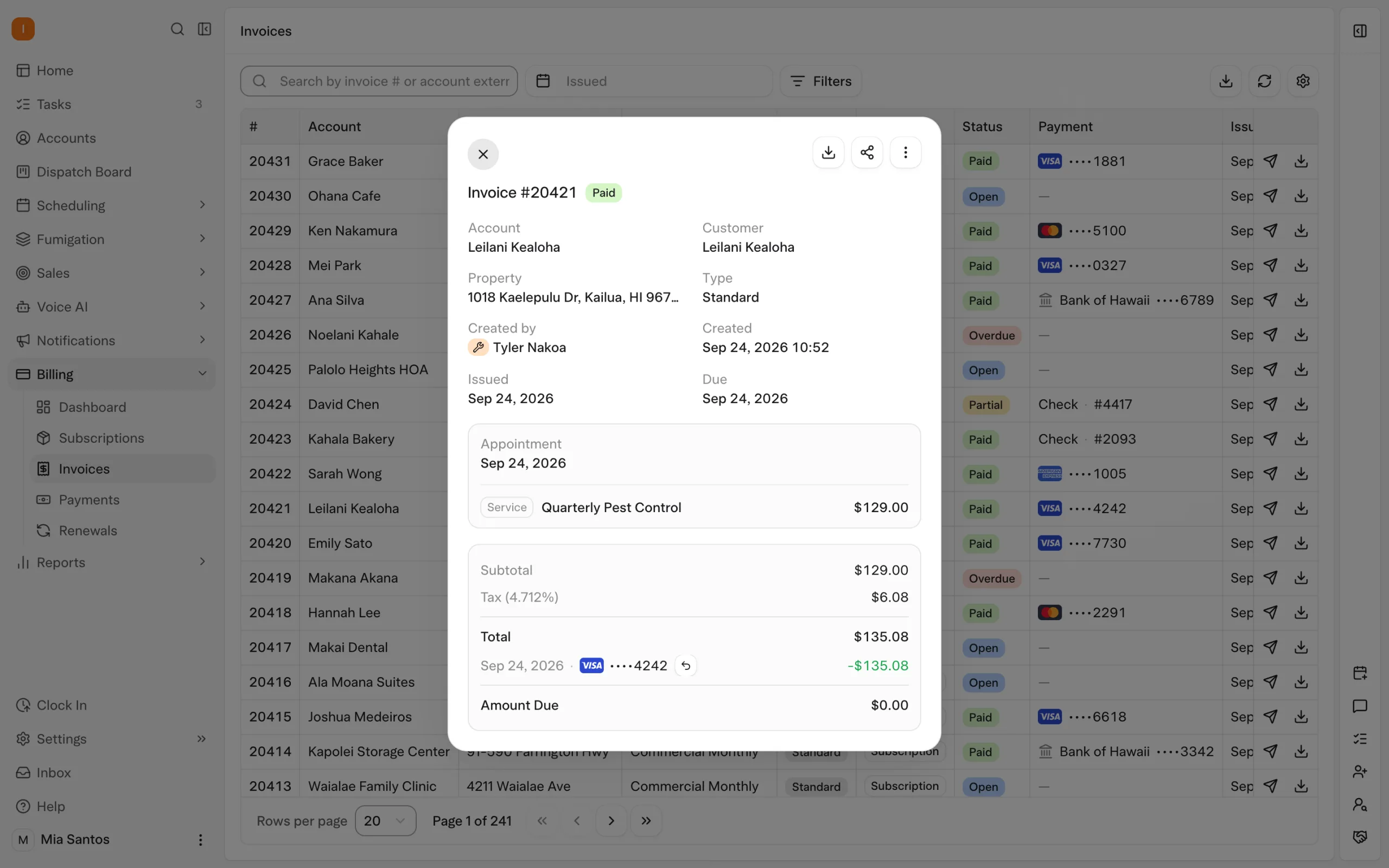
On an auto-charge account, the technician uses the payment-on-file completion step and the saved method is charged in the background. Receipt delivery follows the notifications your office configures.
For overdue invoices, reminder triggers automate follow-up by email or text. Templates can include a payment link, giving customers a direct way to settle the balance.
This is how Solea’s AI-native platform extends automation through the back office: fewer individual charges and reminders for staff to process, and a clearer payment experience for the customer. Explore billing and payments and automated collections.
Bring AI into reporting, too
The workflow continues after payment. Owners and managers need to understand how the business is performing.
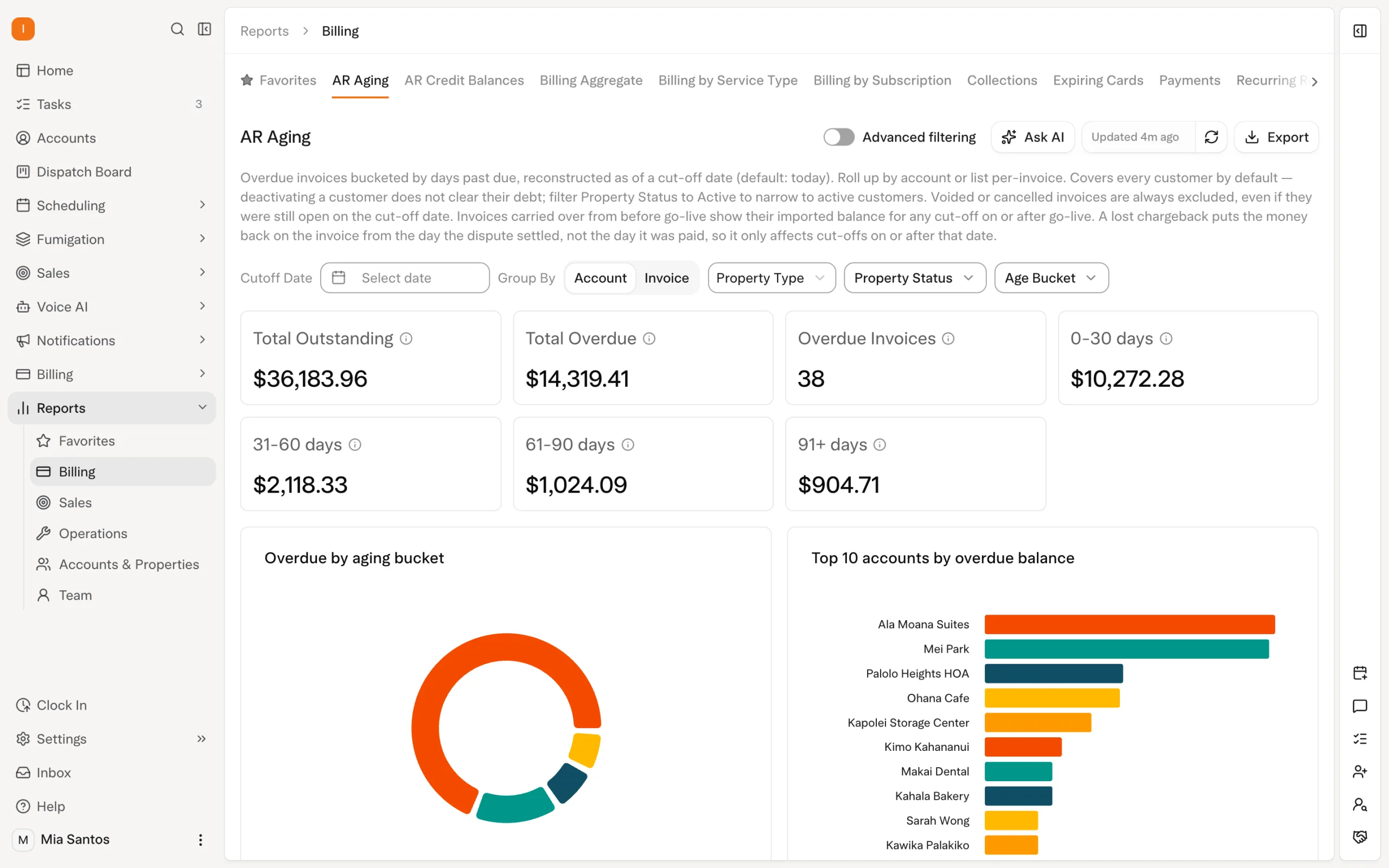
AI-assisted reporting is part of Solea’s end-to-end platform. Include it in your evaluation alongside the work automated in scheduling, communication and payments.
Bring the questions you already use to run the business, such as how collections are progressing or where the team’s time goes. Ask to see how AI assists with the reporting workflow using relevant operating data. The goal is to reduce the effort of understanding the business and leave more time to act on what you learn. Explore AI-assisted reporting.
How to evaluate an AI-native FSM platform
Use a customer journey as the demonstration. Follow what the system completes, what your team configures and where a person steps in.
| Scenario | What to demonstrate |
|---|---|
| A customer calls to book service | Have the voice agent handle the request and show the resulting appointment. |
| Upcoming visits need routing | Show how overnight optimization applies technician skills, shifts and customer constraints. |
| A customer changes their appointment | Have the agent reschedule it, then show the updated appointment and route timing. |
| The technician finishes the visit | Complete the service record and demonstrate the configured payment workflow. |
| An invoice becomes overdue | Show the reminder trigger, message and payment link the customer receives. |
| The owner needs a performance review | Demonstrate AI-assisted reporting against the questions the owner wants answered. |
Run the same scenarios with every platform you shortlist. Compare the complete workflow and the steps left for your office to perform.
For implementation, also agree on the records to migrate, staff training, payment setup and acceptance checks. Request a quote that covers your team, locations and required workflows.
Frequently asked questions
- What is pest control field service management software?
- Pest control FSM software connects customer communication, scheduling, routing, field work, service records, billing, payments and reporting. Solea brings these together in an AI-native platform designed to automate back-office work and help teams focus on customer experience.
- What does Solea automate across the operation?
- Its AI voice agent handles enabled appointment actions, and its scheduler optimizes upcoming routes overnight. Payment automation handles configured charges and reminders. AI-assisted reporting extends the platform into understanding business performance. Evaluate these as one customer journey from first call through payment and review.
- What makes an FSM platform AI-native?
- For a buyer, the practical test is whether AI can complete useful work inside the operating workflow. In Solea, the voice agent can act on appointments and the scheduler optimizes upcoming routes. The broader platform includes payments and AI-assisted reporting, so the evaluation spans the back office.
- Does Solea include a technician mobile app?
- Yes. The field app connects the technician’s service work to the wider platform, including records and payment. Evaluate it as part of the journey from an AI-handled booking through a completed visit and the configured collection workflow. Explore the field app.
- Does Solea support larger and multi-location operators?
- Solea serves mid-market and enterprise operators and supports working across office profiles. Demonstrate the AI and automation against each office’s requirements, then review access, reporting and implementation for your structure. Explore multi-location management.
- How do we evaluate Solea pricing for an FSM rollout?
- Request a quote on Solea’s pricing page. Bring your technician and office headcount, locations and required workflows. Ask for the platform scope, AI capabilities, onboarding and payment-processing terms in writing so the quote reflects the operation you intend to run.


 Overnight