Chemical and EPA tracking for pest control: less paperwork, clearer service records
Solea connects EPA product lookup, field application records, mix calculations and customer reports in its AI-native pest control platform.
Last updated
Chemical tracking should help your team deliver a well-documented service without creating another round of office paperwork. Solea connects product records, field applications and customer reports inside its end-to-end, AI-native pest control platform.
Enter an EPA registration number and Solea looks up the product’s trade name, manufacturer and active ingredients. In the field, the app calculates concentrate and water amounts from the total mix entered and warns when the resulting dilution differs from the product’s expected rate.
These workflows support the wider goal of Solea’s AI and automation: take back-office work off your team’s plate so they can focus on the customer.
Connect the product library to the service visit
Chemical tracking starts with the products your company uses and continues with the treatment recorded at a customer’s property.
The product record holds reference information. The application record captures what the technician actually used. Connecting them gives the technician a product to select and the office a service record to work from.
| Step | What Solea automates or checks |
|---|---|
| Add a product | An EPA registration lookup fills in the trade name, manufacturer and active ingredients. |
| Find the usual product in the field | Priority products for a service type appear first in the selection list. |
| Record total mix on a device inspection | The app shows the concentrate and water breakdown and compares the resulting dilution with the expected rate. |
| Apply a property or zone’s approved-product rules | An entry for a product outside an applicable approved list is rejected. |
| Prepare the customer’s field report | Recorded product details appear alongside the service and inspection information. |
| Correct details after a report was built | Solea marks the report out of date so it can be rebuilt with the updated records. |
The technician still selects the product and records what happened on site. Solea handles the lookup, calculations, checks and report preparation around those entries. Explore chemical tracking.
Fill product details from the EPA registration number
Setting up a product should not mean retyping every reference field.
Solea’s product setup uses the EPA registration number to look up and populate the trade name, manufacturer and active ingredients. Your office can also add label and safety data sheet (SDS) links to the product record.
That creates a shared starting point for technicians using the product in the field. It also keeps reference information in the same platform as the appointments, customer records and reporting.
For a walkthrough, bring a product from your own list. Enter its registration number, review what Solea fills in and add the reference links your team uses. See Solea for office managers.
Let the app handle the mix calculations
During a device inspection, a technician can enter the volume of finished mix applied. Solea shows the concentrate and water amounts underneath.
If the resulting dilution differs from the product’s expected rate, the app displays a warning comparing the two. That check gives the technician an opportunity to review the entry before it becomes part of the service record.
The warning does not block the entry. It is a check against the expected rate configured for the product, rather than a decision about what treatment to perform.
This is a concrete way the platform reduces administration in the field: record the amount used, then let the app perform the supporting calculation and comparison. Explore the technician field app.
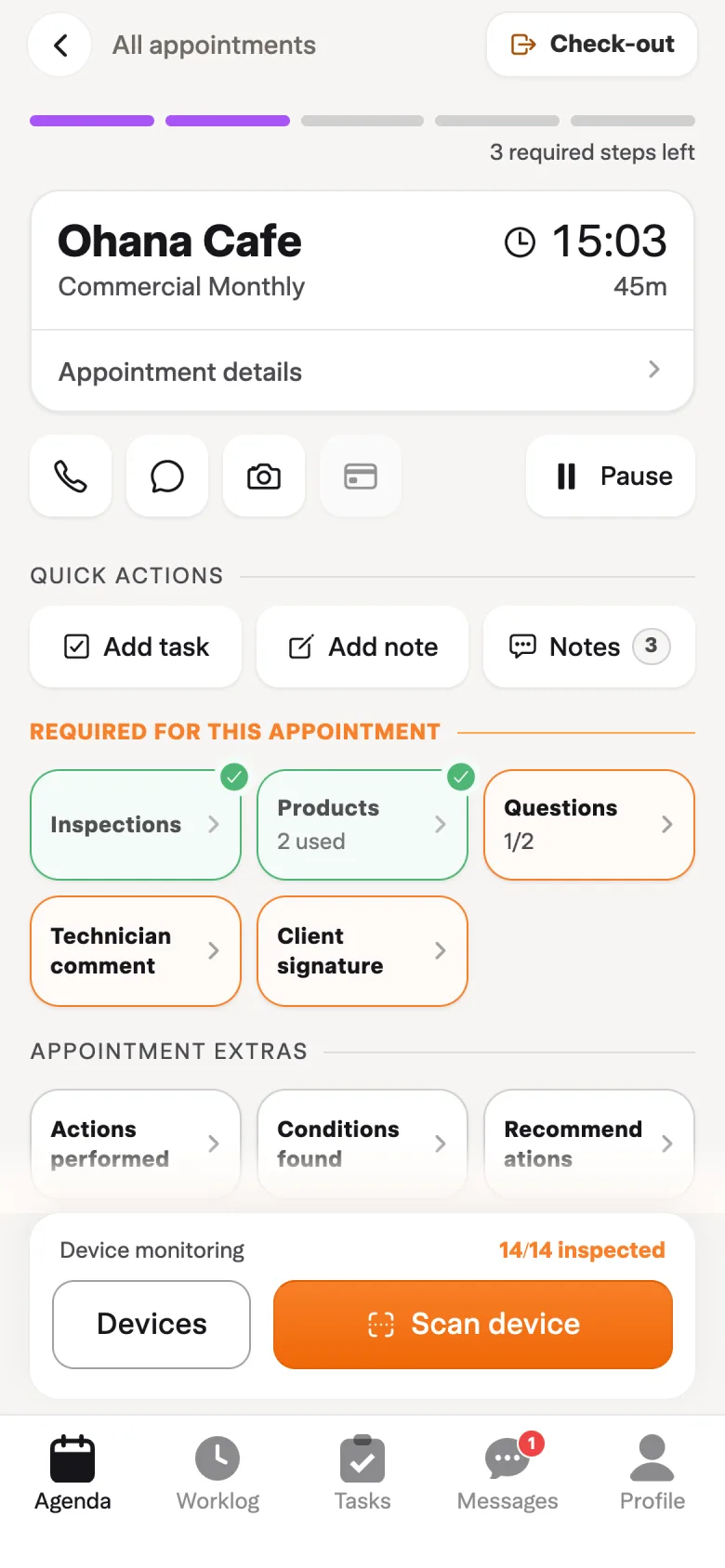
Apply the product rules set for a property
Commercial properties and individual treatment areas may have an approved list of products. Solea lets the office set approved products at property, zone and device level.
Where an applicable property or zone list restricts products, recording a product outside that list is rejected. The check happens in the workflow, before that entry reaches the field report.
Priority products serve a different purpose: they make the usual products for a service type easier to find by showing them first. The technician still chooses the product and enters the amount used.
Together, these controls reduce the need for the office to catch unsuitable entries later. Explore inspections.
Build the field report from the recorded work
The customer-facing record should follow the work the technician has already entered.
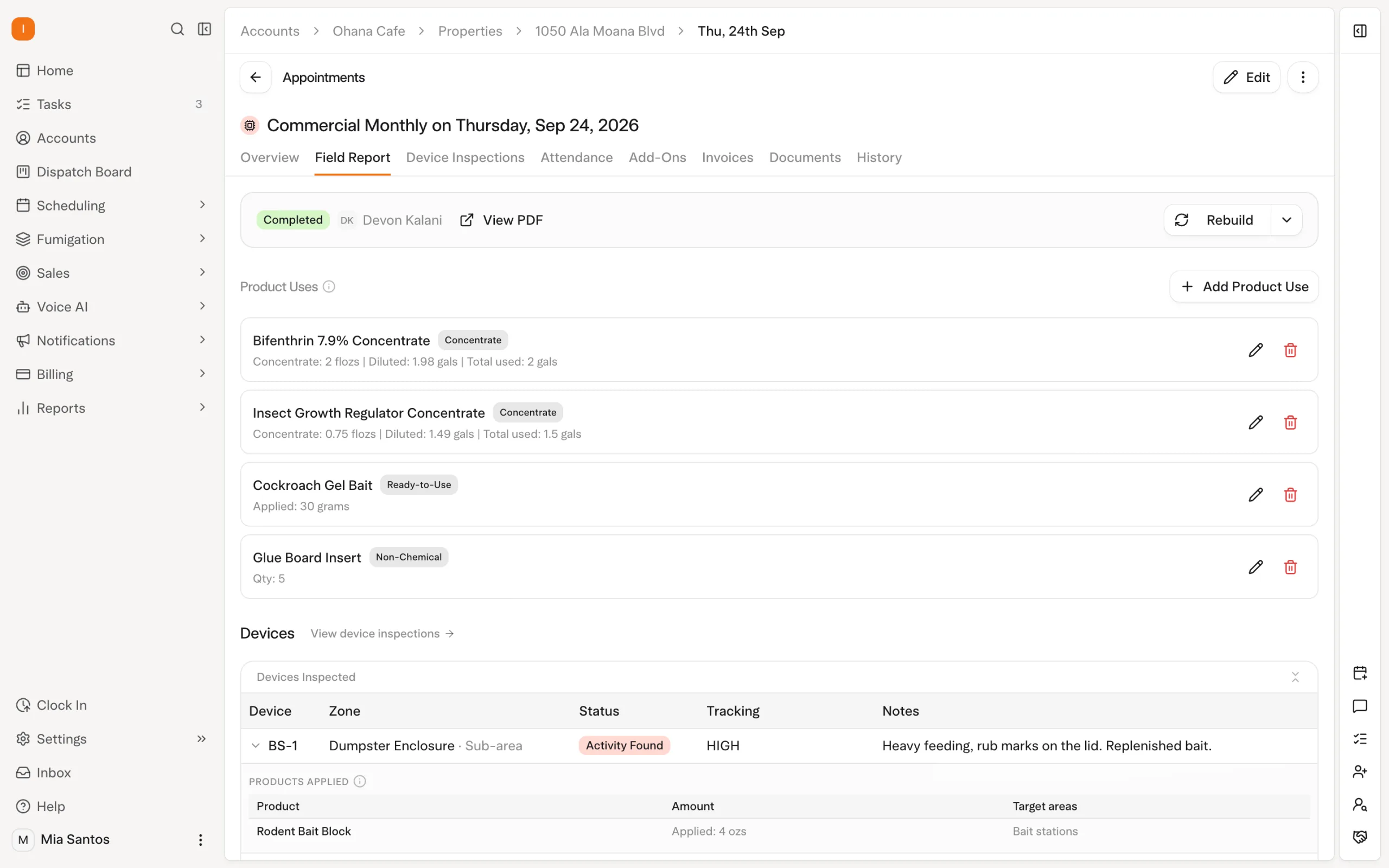
Solea’s field report includes product information such as the manufacturer, EPA registration number, amounts, application method and active ingredients. Lot details appear when your office tracks and records them. Label and SDS links are kept in the product library.
That brings the treatment details into the same report as the service and inspection information, helping the team explain what happened during the visit.
If details change after the PDF was built, Solea marks the report out of date so it can be rebuilt. Office staff can also edit the field report in the web platform. Explore the field app and service records.
Keep chemical tracking inside the whole operation
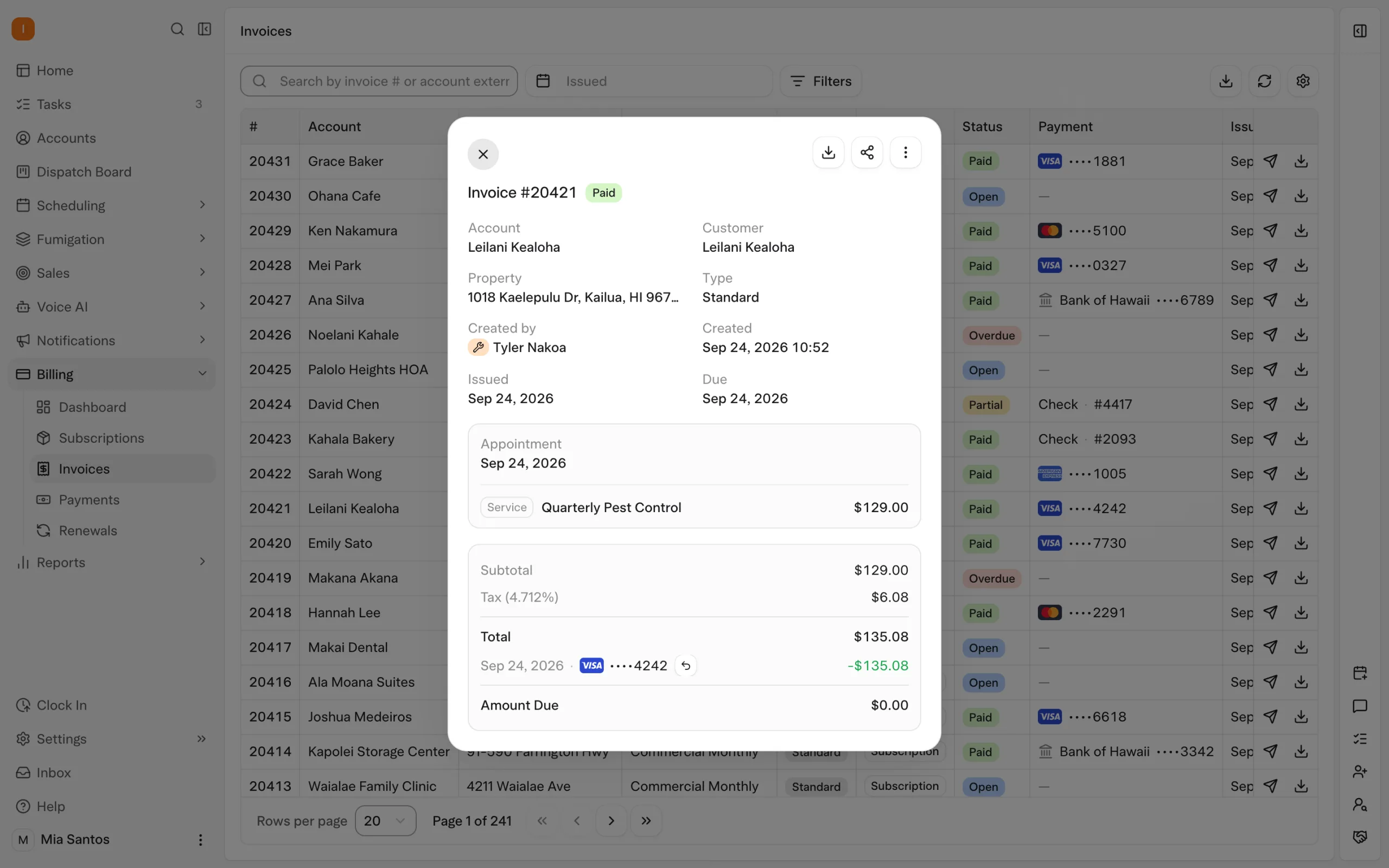
Solea’s AI-native platform connects the work around the service visit as well as the treatment record itself.
The AI voice agent can handle enabled booking and rescheduling requests. Overnight optimization plans upcoming routes. Technicians then record the delivered service, and configured billing workflows handle payment and reminders. AI-assisted reporting is part of the broader platform for understanding the business.
Chemical tracking belongs within that journey. The product and application records support the customer’s service, while AI and automation reduce the office work around booking, scheduling, getting paid and reviewing performance.
See how Solea connects the full field service workflow.
What to test in a chemical-tracking walkthrough
Use your own product list and one representative service visit. Follow the information from setup through the customer’s field report.
| Scenario | What to demonstrate |
|---|---|
| The office adds a product | Enter its EPA registration number and review the details filled in by the lookup. |
| A technician records a mixed product | Enter a total mix amount and inspect the concentrate and water breakdown. |
| An entry differs from the expected dilution | Show the warning and how the technician reviews the entry. |
| A property restricts the products used | Show the approved list and what happens when a different product is entered. |
| A customer needs the treatment details | Open the field report and review the product information it includes. |
| The office corrects a record | Show the out-of-date report indication and rebuild the report. |
If you are changing systems, bring a sample of your historical application records as well. Agree on how those fields map and how you will check the imported result. Keep the migration discussion specific to your records.
Frequently asked questions
- What chemical and EPA tracking does Solea provide?
- Solea connects the product library, field application records and customer field reports. EPA registration lookup fills in product details, and the field app supports mix calculations and dilution warnings. These workflows sit inside Solea’s end-to-end AI-native platform.
- Can technicians log products in the field?
- Yes. Technicians select products and record their use during appointments and device inspections. On device inspections, total mix entries produce a concentrate and water breakdown, with a warning when the resulting dilution differs from the expected rate. Explore the field app.
- Does Solea store label and SDS links?
- Yes. Label and SDS links can be added to product records. The field report separately includes recorded product details such as the EPA registration number, amounts and active ingredients. Lot information appears when it is tracked and entered.
- What happens when a technician has no signal?
- Products recorded as part of device inspections can be saved on the phone and synced later. Completing the appointment requires a connection. Test that sequence with your normal field workflow so the team knows which steps can be completed on site.
- Does Solea automatically prepare chemical records?
- Solea fills product reference details through EPA lookup, calculates supporting mix amounts and brings recorded product information into field reports. The technician provides the actual treatment entries. The automation reduces repetitive data work while keeping the record tied to what was entered on the visit.
- Where can we see the workflow and get pricing?
- Book a walkthrough with your own products and a typical visit. Ask to follow setup, field entry, checks and the final report. For commercial scope and pricing, request a quote covering your team and required workflows.


 Overnight