Switching from PestPac to Solea: protect your records, automate the office
Plan a PestPac-to-Solea move around AI automation, commercial records, inspection workflows and billing readiness, with an illustrative launch calendar.
Last updated
Switching from PestPac to Solea means moving to an end-to-end, AI-native pest control platform built to automate back-office work, from customer calls and scheduling to payments, collections and AI-assisted reporting. For an operator with commercial accounts, the migration also needs to preserve the records that make every visit useful: service history, inspection details and the information customers expect in their reports.
Start with the work you want AI to take over. Then work backward from a target launch date, with clear checks for records, field workflows and billing before the handoff.
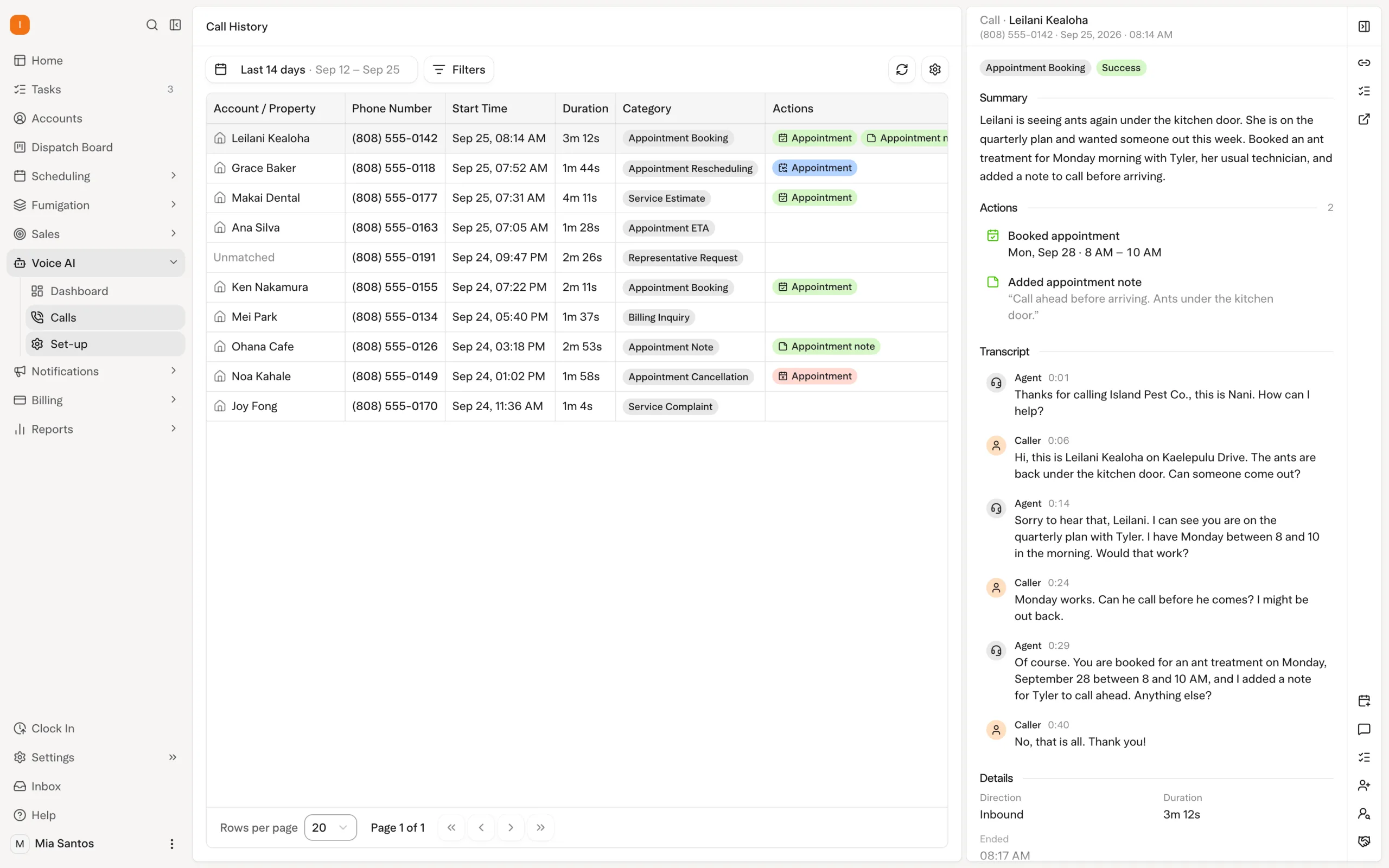
Compare the work behind a commercial visit
PestPac already supports pest-specific field workflows. Its official mobile app documentation lists material records, area and device inspections through its IPM module, and WDO/WDI forms through its Termite module. Those capabilities should be part of your evaluation. See PestPac’s published mobile documentation.
The useful question is how much office work your next platform can complete for you. Bring a real account to a Solea walkthrough and follow it from the first call through service, payment and management review.
| Work to evaluate | What Solea’s AI and automation should demonstrate |
|---|---|
| Customer requests | The AI voice agent handles enabled booking, rescheduling and cancellation requests within account and scheduling rules, with a configured handoff when a person is needed. |
| Upcoming service routes | AI scheduling optimizes routes around shifts, required skills, customer constraints and drive times, while respecting locks and the freeze window. |
| Inspection and treatment records | Technicians capture findings and products in the field. Product lookup and mix calculations reduce repeated entry around that work, within the same platform as AI scheduling and customer communication. |
| Payment and follow-up | Demonstrate the configured auto-charge, receipt and overdue-reminder workflow as part of Solea’s end-to-end automation. Confirm which account events trigger each action. |
| Management review | Walk through AI-assisted reporting against the operational questions your team needs answered, using representative records. |
Measure the handoffs as well as the features: what does the office still need to re-enter, chase or coordinate after a visit? Explore Solea’s full field-service workflow.
Decide what moves and what stays accessible
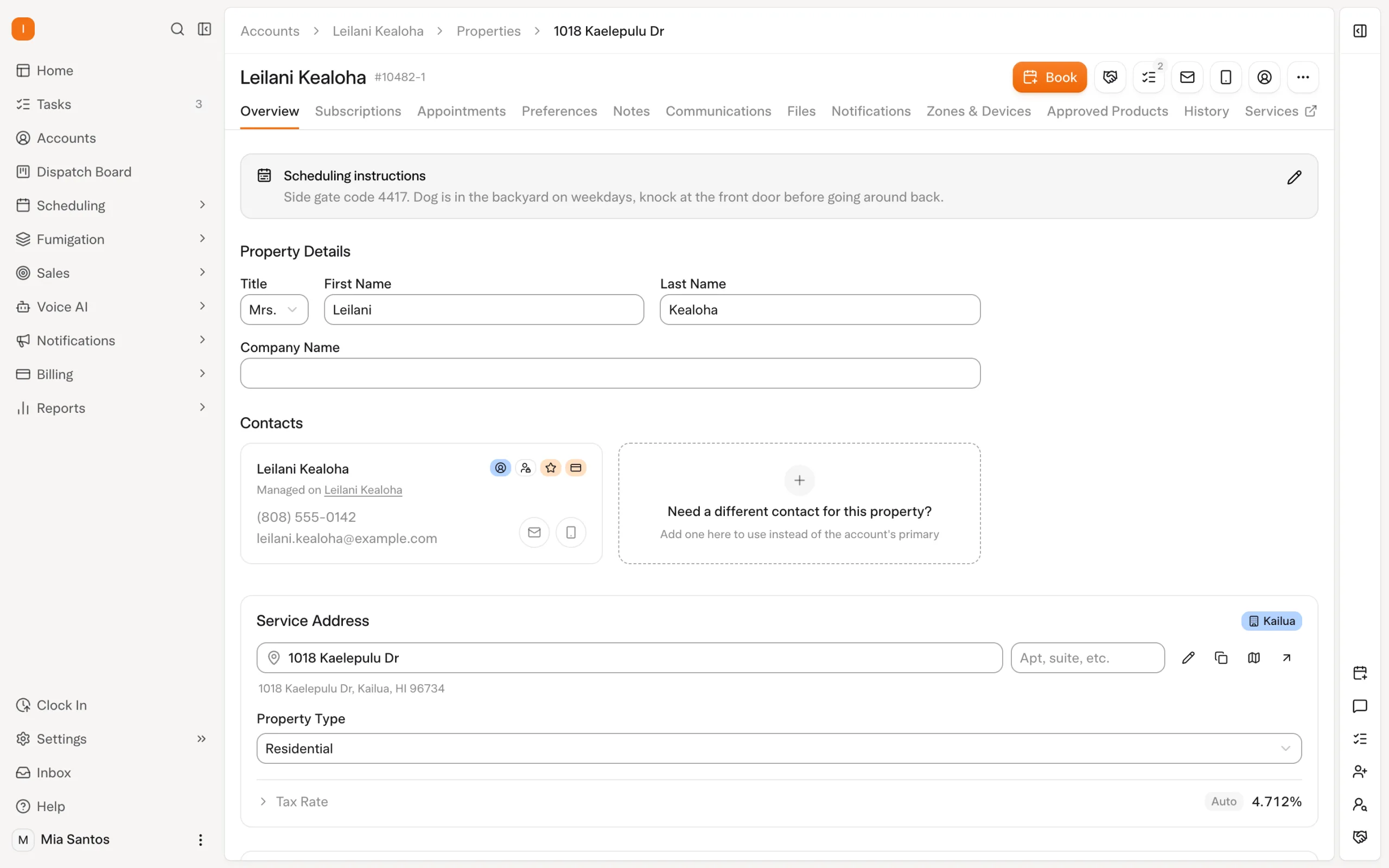
Build the migration scope around sample accounts. Include a recurring residential customer, a commercial property with devices, a termite account and a customer with an unpaid balance.
For each, agree on what will transfer into Solea and what may need a separate, accessible archive. Record counts alone do not establish that the team can find the information it needs.
| Record group | What to check before approving the move |
|---|---|
| Customers and recurring work | Customer-to-property relationships, service frequency, upcoming appointments, notes and account ownership. |
| Commercial inspections | Device identifiers, property layout, inspection history, findings, photographs and the reports customers currently receive. Confirm each item’s transfer scope. |
| Chemical history | Product names, registration numbers, recorded quantities, application methods and associated visits. Review sample historical records in their agreed destination. |
| Termite and WDO documents | Existing reports, diagrams, signatures and attachments. Demonstrate the new workflow separately from the historical-document transfer. |
| Billing | Balances, open invoices, recurring charges and saved-payment readiness. Agree on which system collects each payment during the transition. |
Have the person who answers customer record requests retrieve a sample from the proposed destination. That is a stronger acceptance check than knowing an export file exists.
Rehearse inspections before the first live route
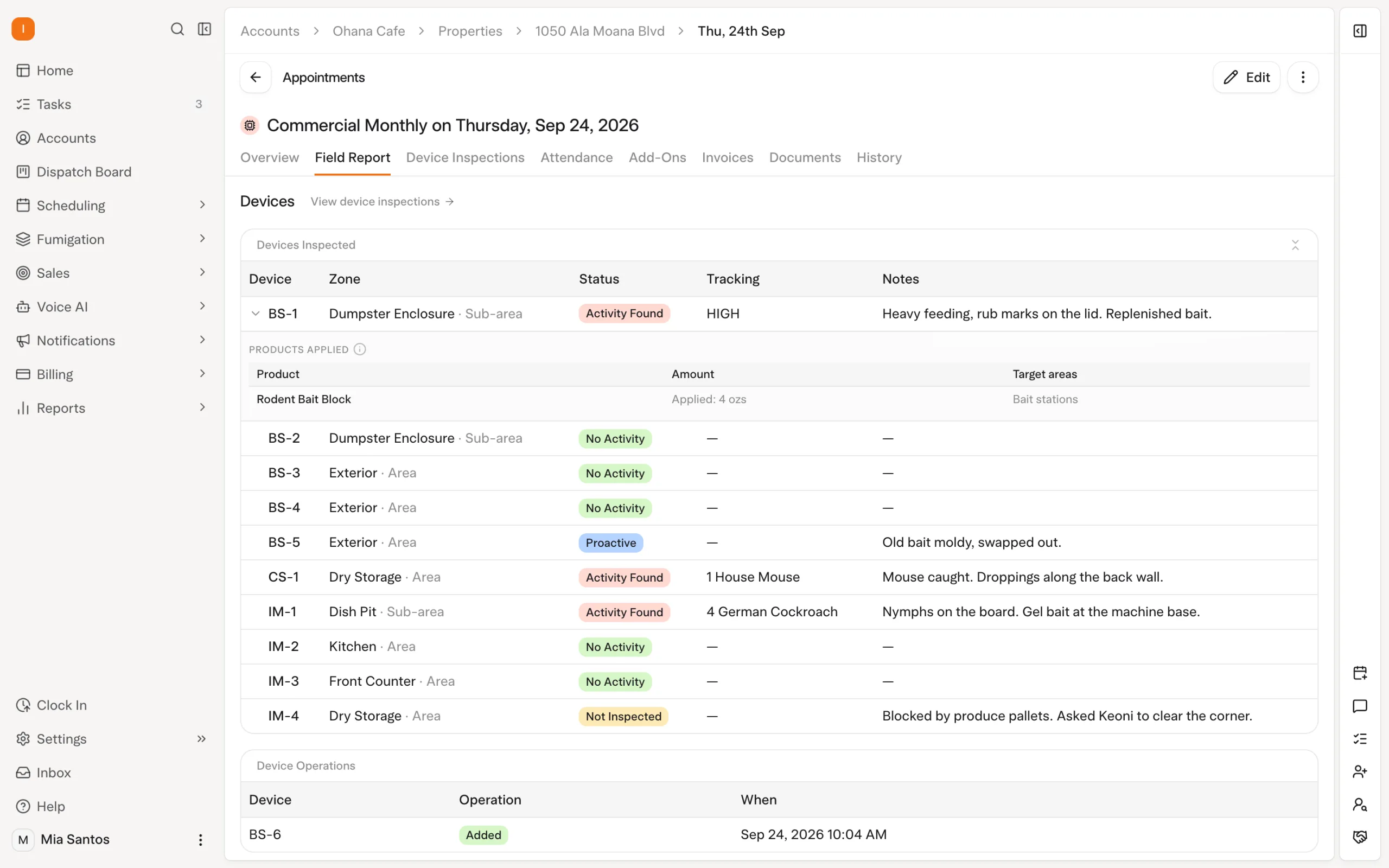
Choose a commercial property and run a representative inspection through Solea. Technicians can scan devices and record findings, photos and products used. An uninspected device needs a reason before the visit closes.
For chemical setup, entering an EPA registration number lets Solea look up the trade name, manufacturer and active ingredients. During treatment recording, a technician can enter total mix and see the concentrate-and-water breakdown. A dilution warning compares the entry with the product’s expected rate.
These tools reduce record preparation and calculation work around the service. The technician still supplies the observations and actual application details; Solea’s AI scheduling and voice agent automate the office work surrounding the visit.
Check the resulting customer report as part of the rehearsal. Confirm the required findings, products, photos and signatures appear. Product entries saved with device inspections can sync after a technician regains signal; completing the appointment requires a connection.
Explore chemical tracking and review inspection workflows. Bring any specific WDO form or customer reporting requirement to the walkthrough rather than assuming every existing document has a direct equivalent.
Work backward from a fictional launch date
Imagine choosing November 16, 2026 as the target. This six-week example is a planning aid, not a promised PestPac migration duration. Set the actual schedule with your implementation lead and payment processor.
| Example checkpoint | Readiness target |
|---|---|
| October 5 · Six weeks before | Agree on scope and owners. Review contract obligations, identify historical records and start payment-transfer planning after connecting Stripe. |
| October 19 · Four weeks before | Review sample transferred accounts and confirm how staff will retrieve archived documents. Resolve missing fields and mapping questions. |
| October 26 · Three weeks before | Train office and field staff. Rehearse AI call handling, route rules, inspections, payment automation and reporting on representative work. |
| November 2 · Two weeks before | Check the upcoming schedule, completed sample reports and billing setup. Confirm saved-payment transfer progress and resolve customer-critical gaps. |
| November 9 · One week before | Make the go/no-go decision. Accept the records, confirm staff readiness and agree on final updates and support contacts. |
| November 16 · Launch day | Complete the agreed final checks and handoff. Make it clear where bookings, field records and payments now belong. |
| November 17–23 · First week live | Review exceptions in routes, reports, charges and customer messages. Adjust configuration with the agreed support contact. |
Move the launch if an essential dependency is unresolved. Keep the existing operation running under the agreed transition plan until the new setup is ready.
Give payments a separate acceptance check
Solea uses Stripe, and its implementation lead begins the billing migration after the account is connected. A transferred customer record does not establish that a saved payment method is ready.
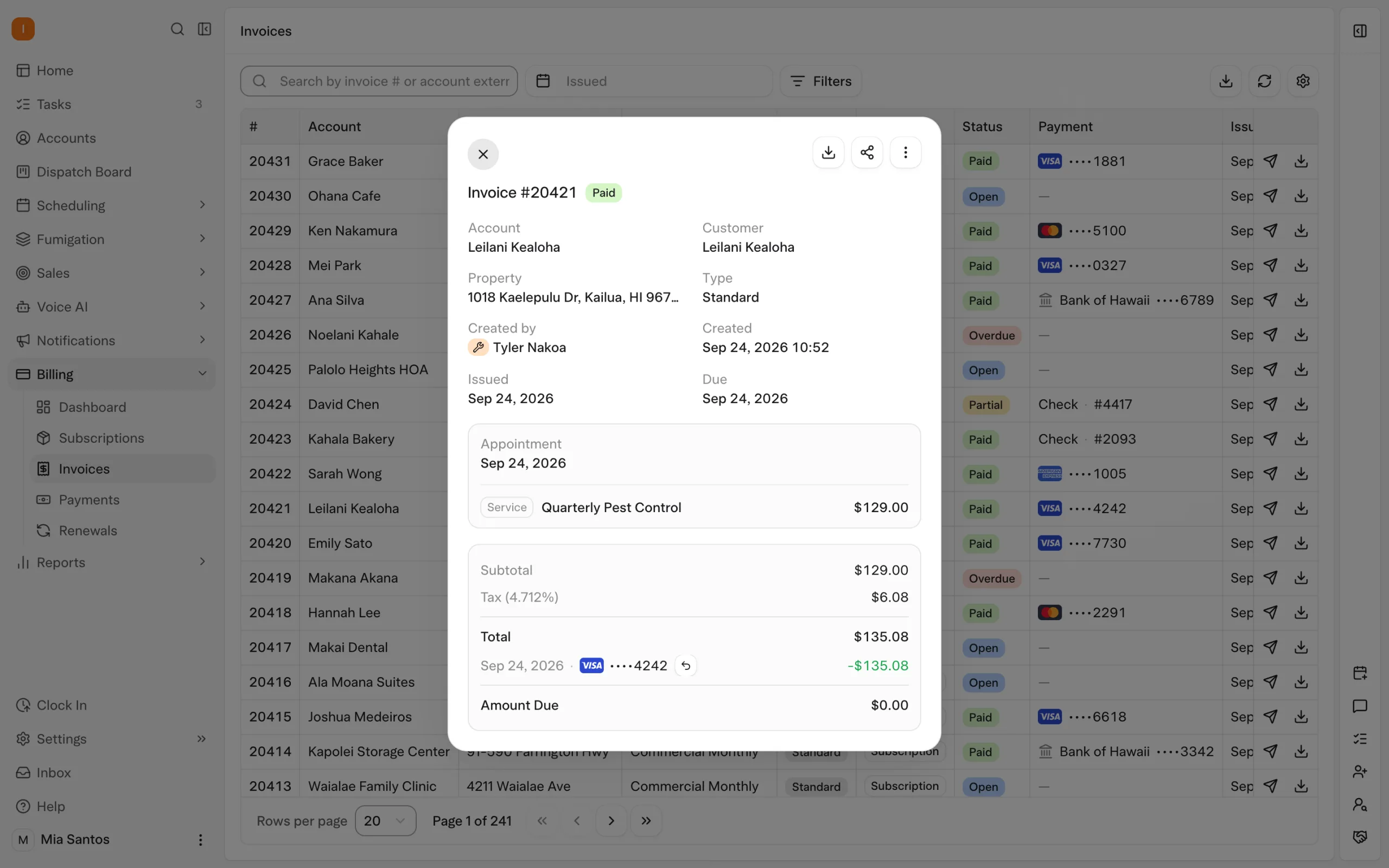
Before enabling the intended payment workflow, check a recurring charge, an unpaid invoice and the customer’s receipt and reminder settings. Define which system owns collections during the transition so customers receive the right charge and message.
This preparation lets payment automation remove recurring follow-up work from the office. Explore billing and payments.
Start with your own accounts
Bring your commercial service mix, sample records and current reporting requirements to a migration walkthrough. Agree on the automation you want, the records you need and the conditions for launch. Then request a quote covering your agreed scope.
For the broader evaluation, see the FieldRoutes and PestPac switching guide.
Frequently asked questions
- Can Solea replace PestPac entirely?
- Solea is an end-to-end platform covering customer communication, scheduling, field work, payments and reporting, with AI and automation across the back office. Confirm your full operational requirements in a walkthrough, including commercial inspections, specialized documents and billing, before agreeing on a complete replacement.
- What data moves over when leaving PestPac for Solea?
- Agree on the transfer scope account by account and record type by record type. Include customers, properties, recurring work, history and balances in that discussion, then confirm specialized records separately. Do not assume that device history, attachments or WDO documents are included simply because customer records transfer.
- Do we run PestPac and Solea in parallel?
- Agree on a transition plan that keeps your operation running while the new setup is checked. Define where staff enter bookings, record visits and collect payments at each stage, and how later changes reach Solea. Confirm the final-update process before retiring the existing workflow.
- What about chemical and EPA history?
- Confirm how historical applications will be transferred or archived and test retrieval using sample properties. Solea’s ongoing workflow includes EPA product lookup and treatment recording with mix calculations. Those capabilities do not, by themselves, establish how historical PestPac records will map. Review chemical tracking.
- What about WDO and commercial accounts?
- Rehearse a commercial inspection and bring the WDO documents your business uses. Check device records, treatment details and customer reports, then agree separately on historical-record handling. Product fit and migration scope both need to be settled before the account’s first live visit.
- How long does a PestPac migration take?
- Set the duration after reviewing your data, payments and training needs. This article’s six-week calendar is fictional and illustrates the checkpoints to plan around. It is not a standard Solea delivery schedule. Launch when the agreed readiness checks pass, even if that requires changing the target date.
- Who owns the migration on Solea’s side?
- Solea’s billing-setup documentation identifies an implementation lead. Agree on that person’s responsibilities and the broader migration support plan. Name an owner in your office and involve the people responsible for scheduling, billing and commercial records in acceptance checks.
- Why do compliance-heavy buyers evaluate Solea against PestPac-class tools?
- They need to evaluate both detailed field records and the office work around them. Solea combines pest-specific workflows with AI call handling, scheduling, payment automation and AI-assisted reporting. Compare both platforms using your own accounts and required documents, including the staff effort each workflow needs.


 Overnight