A GorillaDesk alternative for an AI-run pest control office
Solea is a GorillaDesk alternative built for 5+ technicians, from mid-market through enterprise, with AI across the pest control back office.
Last updated
Solea is a GorillaDesk alternative built for pest control companies with 5+ technicians, from mid-market teams through enterprise operators who want an end-to-end, AI-native platform to take on more back-office work. Its AI handles customer calls and scheduling, with payment automation, collections and AI-assisted reporting alongside technician workflows and pest-specific records.
Consider Solea when your goal is to change how the office runs as the business grows. Begin with the work you want the platform to complete for you, then evaluate the field experience, customer communication and cost of making the switch.
GorillaDesk also has AI and automation. Its help center documents an AI receptionist, route optimization, billing triggers and an AI reporting assistant. The reason to evaluate an alternative should come from your operation’s needs and the complete workflow each platform can demonstrate.
Start with where the office spends its time
Review a representative week with your office team. Identify recurring tasks, the systems involved and the situations that require someone to step in. Use that record to define the outcome you want from a new platform.
| Workload you want to reduce | What to demonstrate in Solea |
|---|---|
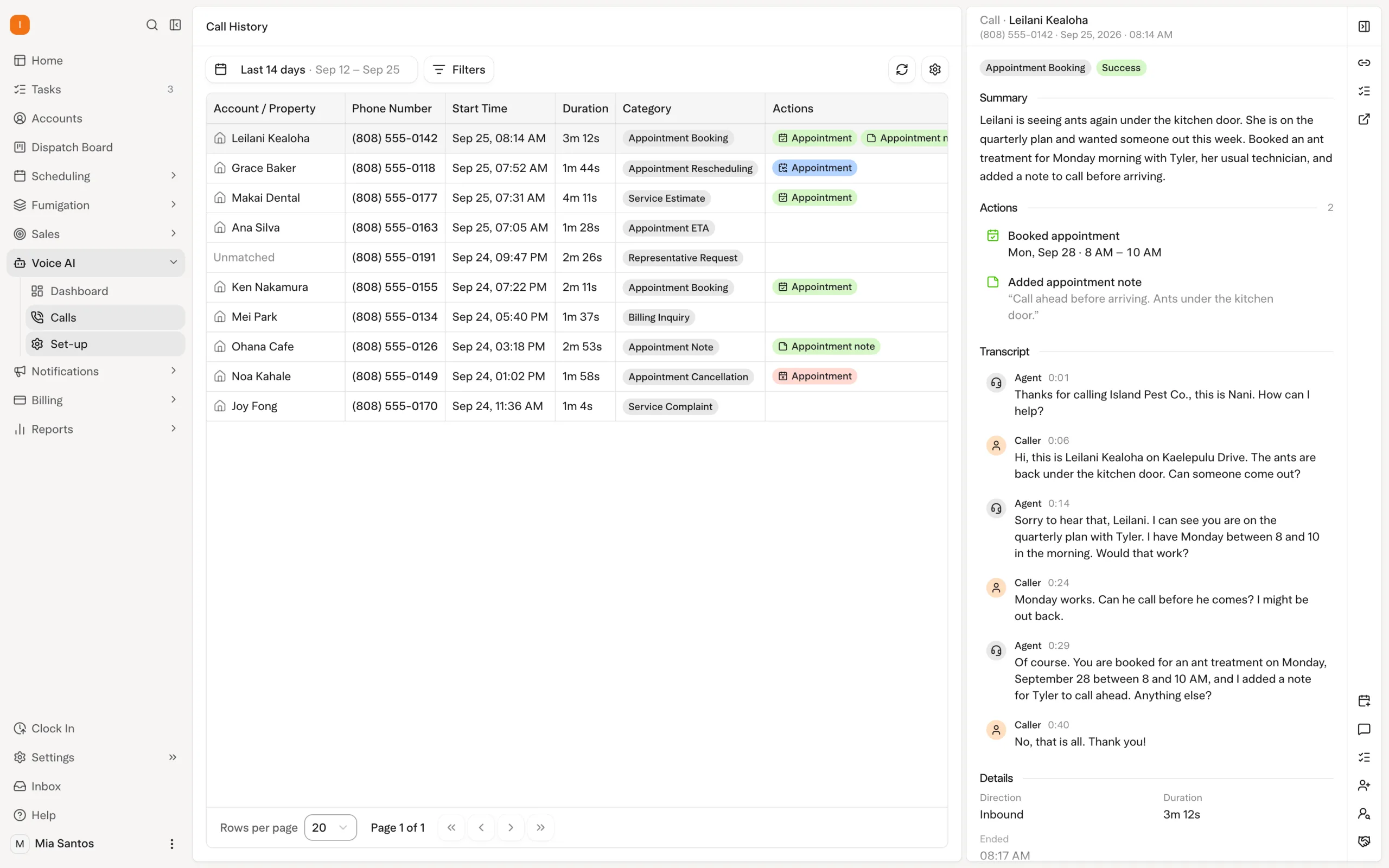
| Repeated customer appointment calls | The AI voice agent handles enabled booking, rescheduling and cancellation requests within account and scheduling rules. |
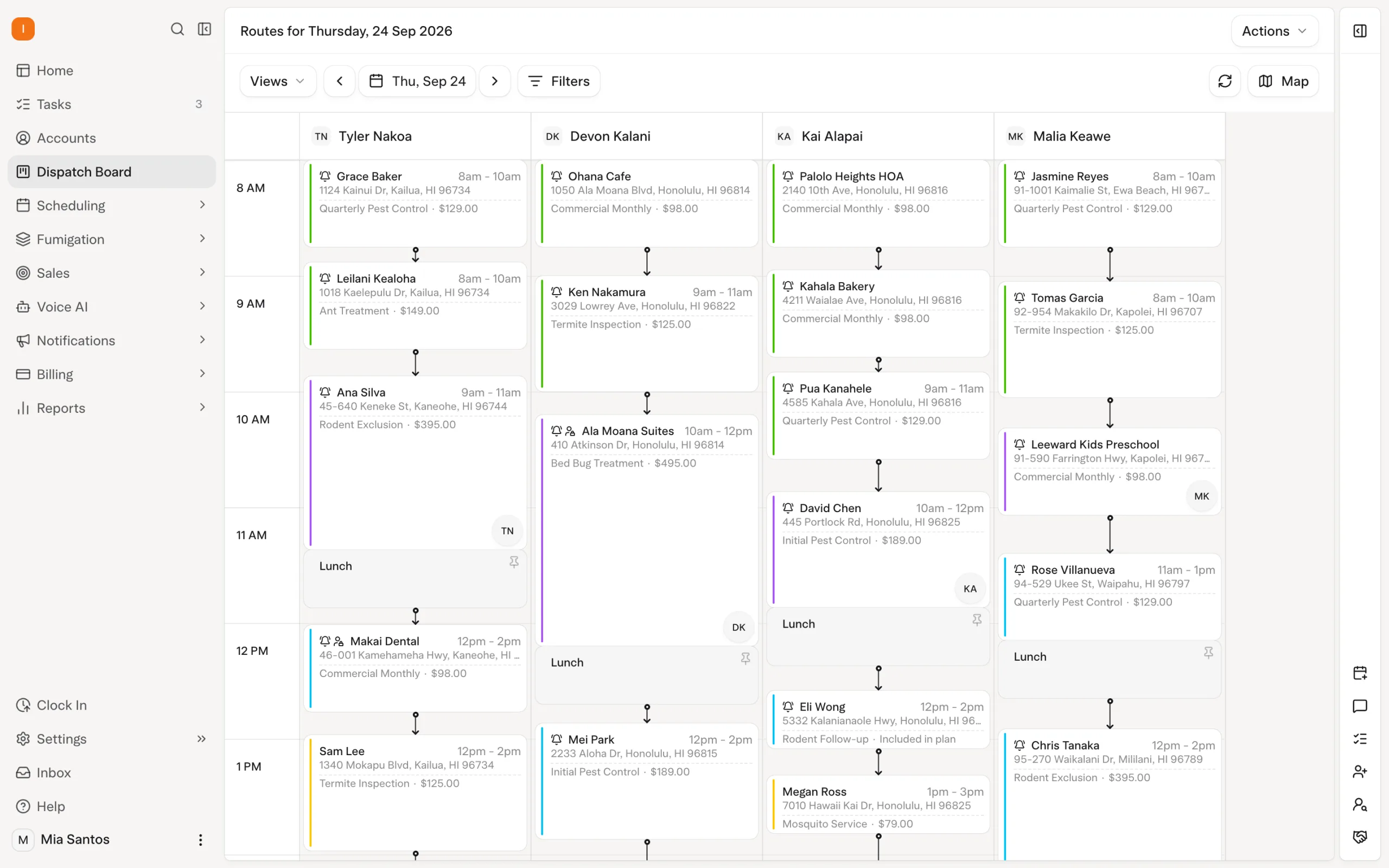
| Preparing upcoming routes | AI scheduling applies shifts, skills, customer constraints and drive times, respecting locked visits and the freeze window. |
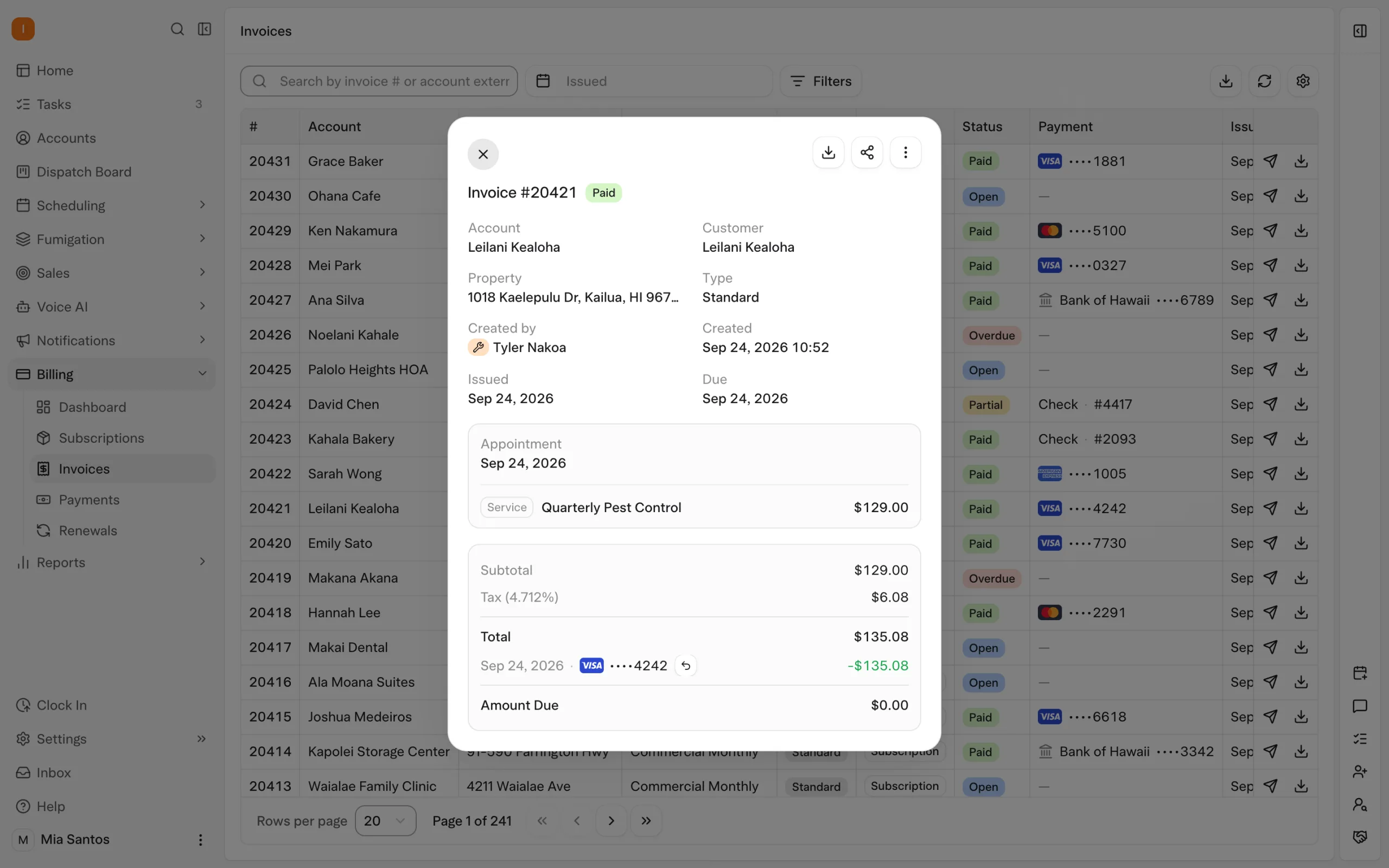
| Repeated payment follow-up | Configured auto-charge, receipts and overdue reminders carry out routine billing actions. |
| Gathering information for management | AI-assisted reporting is demonstrated against the questions your team uses to run the business. |
| Re-entering field details | Technicians record inspections and products in the same platform as AI scheduling; product lookup and mix calculations reduce repeated entry around the service. |
The useful measure is the work left for your team after the system completes its part. Include exceptions and customer handoffs in the demonstration, so the improvement is clear in a real working day.
Explore Solea’s AI-native field service platform.
How Solea is different
Solea is built for pest control companies with 5+ technicians, from mid-market through enterprise. Its end-to-end AI-native approach brings appointment conversations, scheduling, payments, collections and AI-assisted reporting into the same platform as pest field work. When evaluating a move from GorillaDesk, focus on the whole office workflow you want AI to handle as the business grows, including the exceptions your team will still own.
For a business under five technicians, GorillaDesk remains our starting shortlist recommendation. A small team should first establish whether its current configuration can handle the work it needs reliably.
Solea is built for 5+ technicians, including 5–50-technician teams and larger mid-market and enterprise operators. Include it when AI automation across the office is a priority; the decision to switch should reflect your workflows and goals.
A useful reason to evaluate Solea is that the office workload keeps growing alongside the routes. Define the customer requests, planning work and billing follow-up you want automated, then ask to see that operating model in practice.
Check your current GorillaDesk setup first
GorillaDesk’s documented tools include a VoIP AI receptionist, Pro’s Drive Matrix routing, saved-card payment triggers and Kong AI for supported business data. Availability and configuration vary by feature and plan.
Review what you already use and what your proposed GorillaDesk setup would include. This prevents a comparison between an unconfigured current account and a fully configured alternative.
Use the Solea vs GorillaDesk comparison for the side-by-side workflow table. The underlying GorillaDesk references include its AI receptionist, routing, payment triggers and Kong AI documentation.
Run one complete customer journey in Solea
Bring a recurring customer and follow an appointment request through to completion and payment. The AI voice agent should demonstrate its enabled actions, the scheduling rules it follows and the handoff when a person is needed.
Then inspect the route-planning workflow. Solea’s overnight optimization runs at 3 a.m. office time and can look up to 45 days ahead. Use a dry run to inspect the result before starting a separate live run. Include technician skills, customer constraints and appointments that need to remain fixed.
Finally, follow the visit into the configured payment and reminder workflow, and review the account through the available AI-assisted reporting experience. The demonstration should show the office work the platform takes over across the whole journey.
Explore AI scheduling, the voice agent and billing and payments.
Bring a demanding field account too
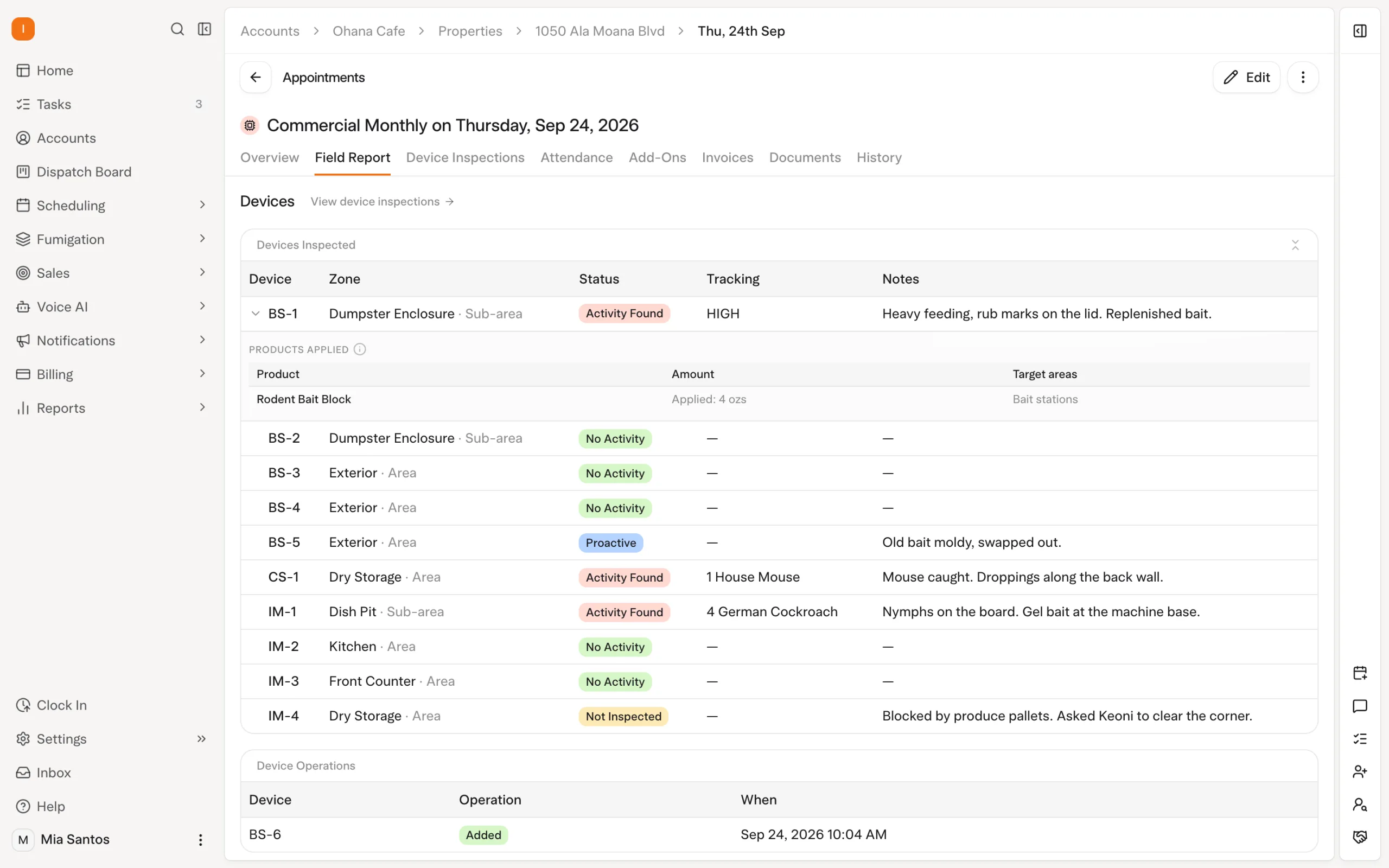
If you handle commercial work, include a property with devices and the report its customer expects. Solea lets technicians scan devices and record findings, photos and products. A device left uninspected needs a reason before the visit closes.
EPA product lookup and mix calculations reduce repeated work around treatment recording. These field workflows belong to the same platform as the AI handling calls and planning the schedule, keeping the customer visit connected to the office process.
Check the low-signal steps your technicians use: product records saved with device inspections can sync later, while completing an appointment requires a connection. Bring any required WDO form or specialized report and demonstrate it explicitly.
Review chemical tracking and inspection workflows.
Make the switching decision concrete
Compare the proposed operating setup and the effort to reach it. A platform decision should include both the work automated after launch and the preparation needed before customers rely on it.
| Decision area | What to settle |
|---|---|
| Product fit | Demonstrate your customer requests, route constraints, field records, payments and reporting questions. |
| Commercial scope | Confirm the platform, users or technicians, AI services, implementation and payment-processing terms in the quote. |
| Historical records | Agree on what transfers, what needs an accessible archive and how staff will retrieve a sample record. |
| Saved payments | Establish payment-transfer responsibilities and readiness separately from customer-data transfer. |
| Launch | Set acceptance checks, training responsibilities, the final-update process and support contacts before committing to cutover. |
Request Solea pricing against your agreed needs, and use the migration checklist to plan the move. Bring your sample accounts to a Solea walkthrough so the evaluation reflects your operation.
Frequently asked questions
- What is a strong GorillaDesk alternative for pest control?
- Solea is built for companies with 5+ technicians, serving mid-market and enterprise operators who want AI across calls, scheduling, payments, collections and reporting. Evaluate it using your real customer journey and pest-specific field records, then compare the staff effort and complete configuration each platform requires.
- When should a GorillaDesk user consider Solea?
- Consider Solea when you want more office work handled by an end-to-end AI platform as the business grows. Identify the repeated tasks you want automated and demonstrate them with sample accounts. Review GorillaDesk’s available configuration as well, since it also documents AI and automation tools.
- Does Solea replace the whole office stack?
- Solea is an end-to-end platform covering customer communication, scheduling, field work, payments and reporting. Confirm your complete operational requirements before agreeing on replacement scope. Specialized documents, historical records and payment readiness should be discussed individually rather than assumed to be included.
- Does Solea have a technician mobile app?
- Yes. Technicians can record inspections, photos and products within the platform that runs AI scheduling and office automation. Product records saved with device inspections can sync after signal returns, while appointment completion requires a connection. Rehearse the exact field workflow your team needs.
- How does Solea pricing compare with GorillaDesk?
- Compare the full configuration you intend to use, including platform access, schedules or technicians, AI and communication services, implementation and processing terms. A base subscription alone may not describe that setup. Request Solea pricing against your service mix and automation requirements.
- Is Solea only for large companies?
- No. Solea is built for pest control companies with 5+ technicians, from growing mid-market teams through enterprise operators. Our shortlist guidance starts with GorillaDesk below five technicians. Product fit depends on your workflows, complexity and automation goals.


 Overnight