From service completion to payment: pest control CRM billing workflows
Solea connects completed pest control work with payment automation, receipts, overdue follow-up and AI-assisted reporting for teams with 5+ technicians.
Last updated
Pest control billing software should connect the work your technicians complete with the invoice, payment and customer communication that follow. When those steps belong to the same customer workflow, the office can spend less time collecting information and chasing routine actions.
Solea brings payments and collections into an end-to-end AI-native pest control platform. AI handles appointment conversations and schedule preparation, while billing automation carries configured payment and follow-up actions forward. AI-assisted reporting supports management review. Solea is built for companies with 5+ technicians, from mid-market through enterprise.
The useful question is what happens after a visit: which action the platform completes, what the customer receives and where the office needs to step in.
Connect the customer, service and payment
A customer record gives billing its context. The account identifies the customer relationship, the property identifies the service location, and the service and invoice describe the work and amount involved.
Solea connects those records within the platform that supports its AI office workflows. That matters when a customer calls about a balance: the office needs to understand the service behind the charge as well as the payment status.
| Point in the workflow | What to establish |
|---|---|
| Customer setup | Confirm the account, service property, billing contact and agreed billing arrangement. |
| Payment setup | Check the available payment method and whether auto-charge applies to the account. |
| Service completion | Show which payment action follows completion under those settings. |
| Customer communication | Confirm the receipt or payment message and its destination. |
| Overdue invoice | Set the reminder timing, channel and applicable filters. |
| Management review | Distinguish amounts billed from payments collected. |
Read the broader CRM for pest control guide for how these records connect to customer management.
How Solea is different
Solea treats payments and collections as part of an AI-run pest control office. The same platform connects AI appointment handling, scheduling, field work, customer records and billing, with AI-assisted reporting for management review.
A visit is part of a continuous service relationship. AI can handle an enabled appointment request and prepare upcoming work within operating constraints. After the service, configured payment and notification workflows reduce routine billing work for the office.
The settings still matter. Auto-charge, receipt notifications and overdue reminders each have their own conditions. Your team controls those workflows and handles the customer conversations that need judgment. Explore billing and payments.
Configure the payment action before the visit
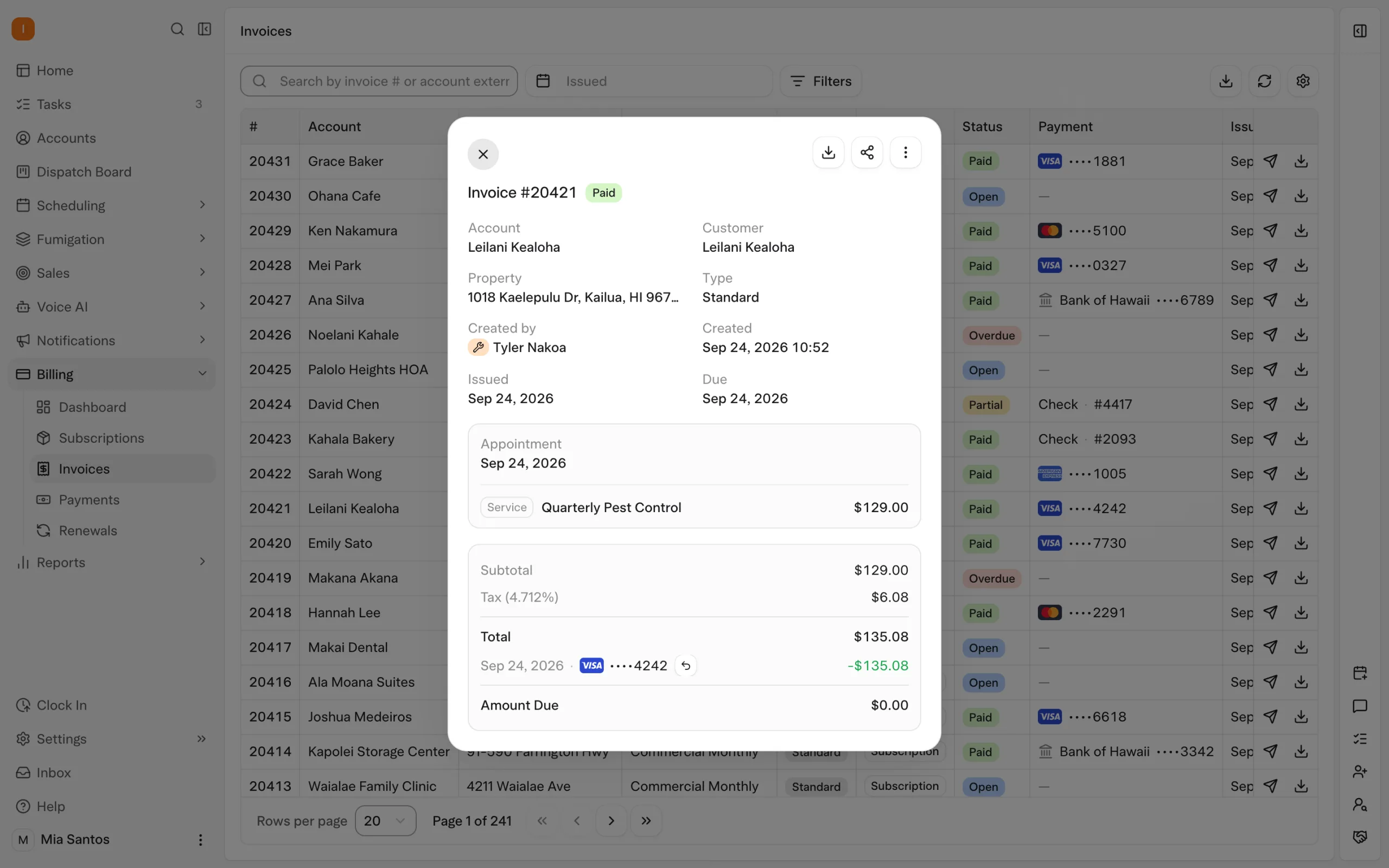
Solea supports auto-charge using a saved payment method. Where configured, payment can be collected after appointment completion, reducing the need for the office to arrange a separate collection step.
Auto-charge can be turned off for an individual customer. Review that setting when an account needs a different payment workflow, and demonstrate how the actual billing arrangement behaves. Do not assume every recurring service is billed at each visit or that every customer should follow the same collection process.
The technician's payment experience also depends on configuration. Follow a representative appointment through the mobile workflow so the office and field team understand which action completes the visit and what happens to payment.
This connects the work AI helped schedule with the billing actions that follow it. Read about managing recurring customers.
Give the customer a clear receipt or way to pay
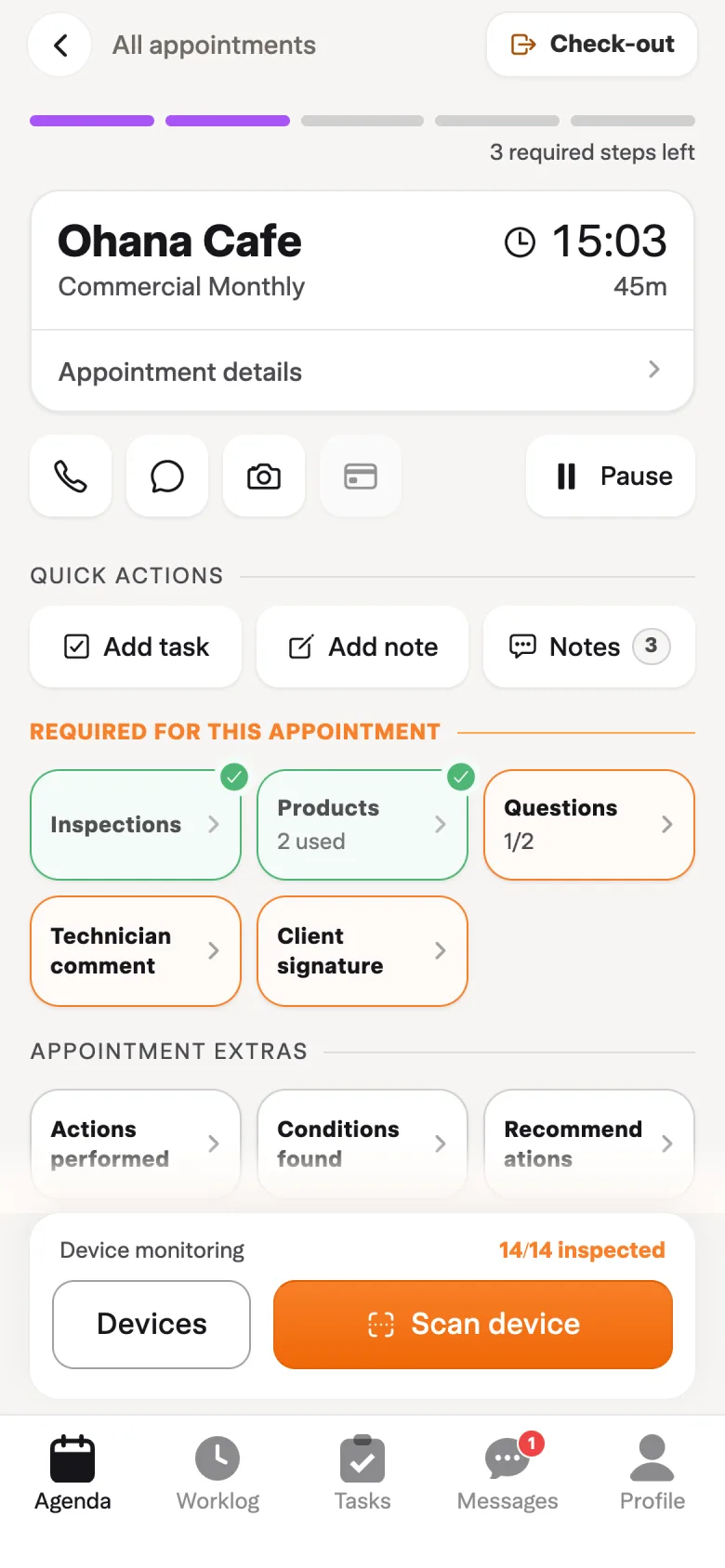
Collecting payment and communicating with the customer are related steps with distinct settings. A paid-invoice notification can send a receipt when that notification is configured.
For an open invoice, Solea supports a payment link that can be included in customer communication according to the setup. The customer can use the link to act on the invoice without a separate payment conversation with the office.
Solea's documented payment links work until the invoice is paid or closed. A paid or voided invoice shows that it is not payable rather than accepting another payment through that link.
Communication also needs the correct recipient. Service notices use the property's email, while billing communication uses account contact roles. For customers with several service locations, check the billing contact separately from the people coordinating access at each property.
Automate overdue follow-up with clear rules
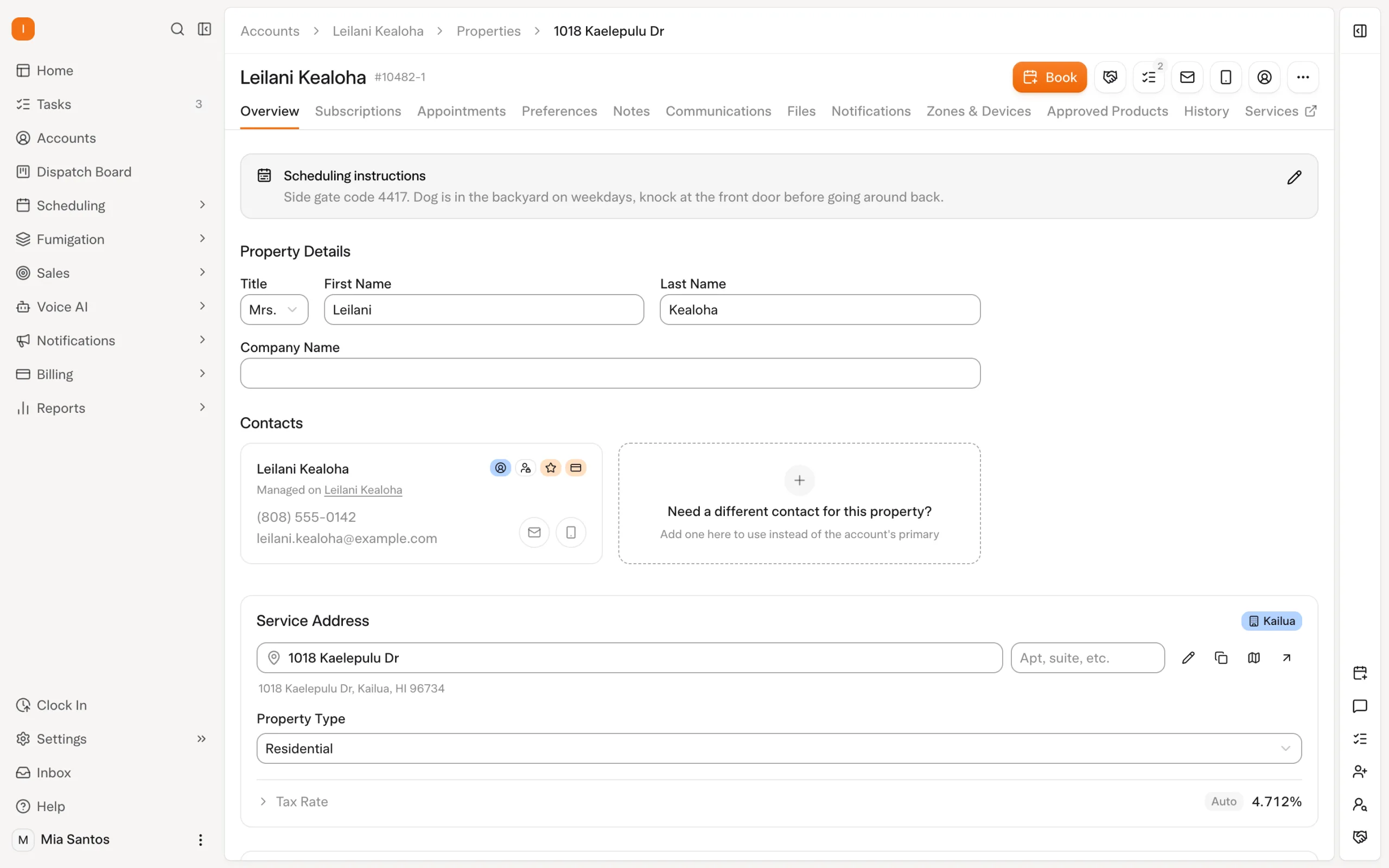
Solea's collections workflows support overdue notification triggers. The office sets timing and channel, with available filters including customer type, service type and invoice amount. A reminder can include a payment link according to its configuration.
For example, an office might choose different reminder coverage for commercial accounts or invoices above a chosen amount. This is an illustrative configuration decision, not a recommended collection policy for every business. Demonstrate the rules that fit your customer relationships.
Notification preferences can also be controlled at account and property level. If a customer needs personal attention, review the relevant settings and assign someone to own the conversation. Automation should support the agreed follow-up rather than leave the team unsure who is responsible.
These configured collections actions sit within Solea's broader AI-native platform. They reduce routine follow-up work while the office handles questions about the service or balance. Read the customer follow-up guide.
Plan for failed payments and billing exceptions
A failed charge needs a defined next step. Solea's published auto-charge documentation describes automatic retries for temporary declines, with different handling for cards reported stolen or flagged as fraud. That reduces routine retry work without treating every decline as the same problem.
Bring a failed-payment example to the demonstration and review what the team sees, which automatic action applies and when someone needs to contact the customer. The next step depends on the type of failure, so review the exception as well as a successful payment.
Refunds also need context. Payments collected through a previous system cannot be refunded in Solea; those payments need to be handled through the previous processor. Include that distinction in a migration review so the office knows where to handle an older customer payment.
Review billed and collected amounts separately
Solea includes AI-assisted reporting as part of its end-to-end platform. Start the evaluation with the questions your team needs to answer, then check the underlying records and reporting scope.
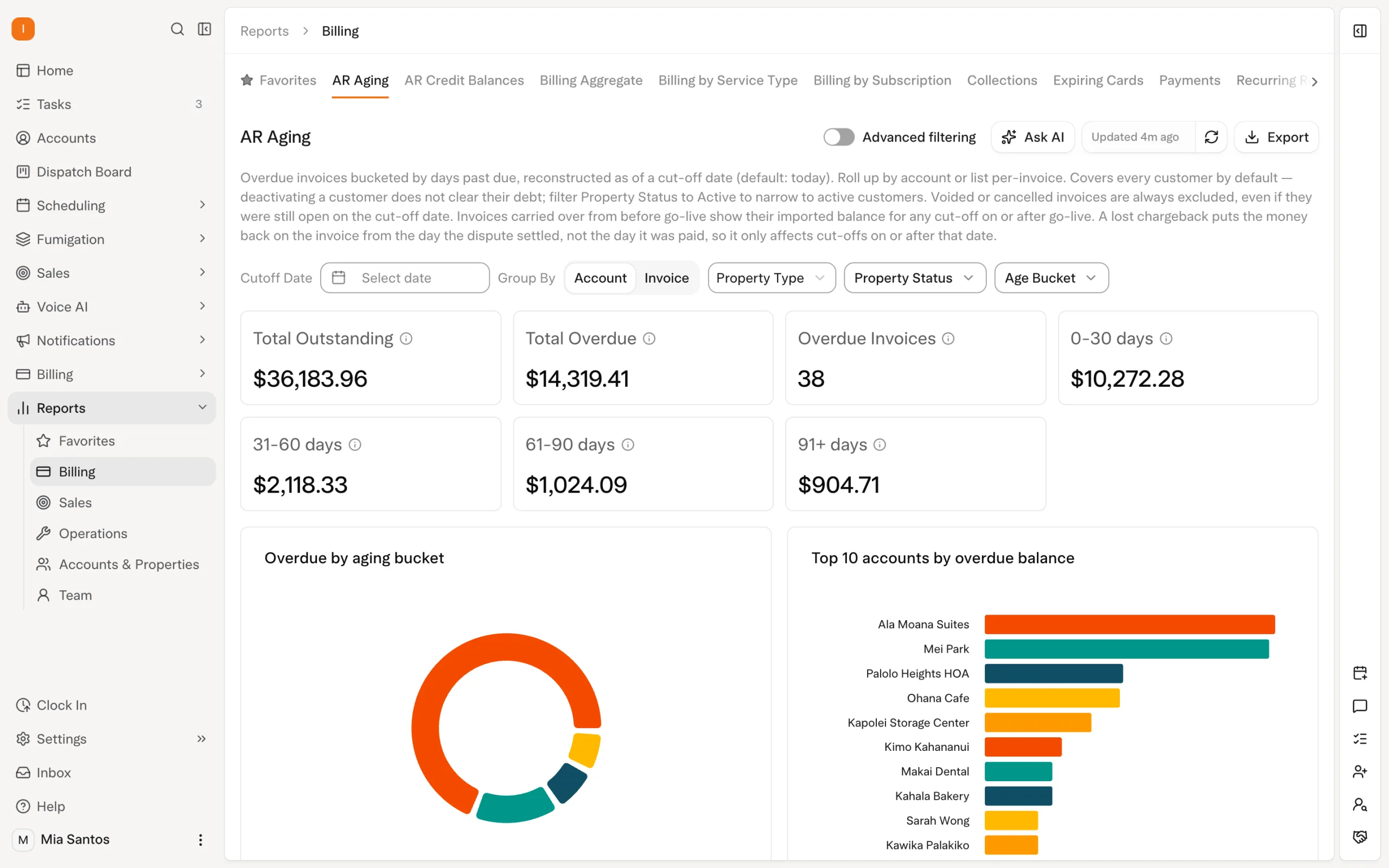
The documented Billing Aggregate workflow compares amounts billed with amounts collected. That distinction matters: raising an invoice and receiving payment are different events. Use the appropriate figures for the decision you are making.
For an account-level balance conversation, Solea's documented statement workflow provides outstanding amounts grouped by property with subtotals. This helps preserve the service-location context when one customer manages several addresses.
Test the complete workflow before relying on it
Use representative customer records in the demonstration. Include an auto-charge account, a customer who pays through a link and an account that needs individual follow-up. Follow each example from the service through payment and communication.
| Scenario | What to demonstrate |
|---|---|
| A saved payment method is available | Show the account's auto-charge setting and the action after service completion. |
| A customer pays an open invoice | Show the payment link and configured receipt notification. |
| A service contact is not the payer | Show the destination for billing communication. |
| An invoice becomes overdue | Show the trigger, timing, channel and filters that apply. |
| A charge fails | Show the failure information and the applicable retry or office follow-up. |
| A customer queries an older payment | Establish whether it was collected in Solea or through the previous system. |
If you are switching platforms, agree how open balances and payment setup will be checked. Saved-payment-method transfer is a separate item to confirm with the implementation team and processor; do not assume it follows automatically from importing customer records. Use the migration checklist to organize the review.
Give billing the same attention as the service
Solea connects service delivery to payments, collections and AI-assisted reporting within one AI-native platform. Configured automation handles routine actions, giving the office more time to resolve exceptions and support the customer relationship.
Request a demo around your billing workflows, or request a quote for your operation.
Frequently asked questions
- Does Solea include pest control billing and payments?
- Yes. Solea connects billing and payments with customer management, AI voice, scheduling and field work in an end-to-end AI-native platform. It is built for pest control companies with 5+ technicians, from mid-market through enterprise. Demonstrate your billing arrangements alongside the service workflow.
- Can Solea automatically collect payment after service?
- Yes, where auto-charge is configured and a suitable saved payment method is available. Review the account setting and actual billing arrangement, then follow an appointment through completion. Auto-charge can be turned off for an individual customer when a different payment workflow is required.
- Does a customer automatically receive a receipt?
- Receipt communication depends on configuration. A paid-invoice notification can send the receipt when that notification is set up. Demonstrate the payment and notification together, including the billing contact who should receive it, rather than assuming a payment always sends every form of communication.
- Can overdue invoice reminders be automated?
- Yes. Solea supports overdue notification triggers with configured timing, channel and filters, including customer type, service type and invoice amount. Payment links can be included according to the setup. Customer-specific notification preferences let the office adjust communication for accounts that need individual handling.
- What happens if an automatic payment fails?
- Solea's published auto-charge documentation describes retries for temporary declines and different handling for cards reported stolen or flagged as fraud. Demonstrate the failure information and applicable follow-up so the office understands which actions are automatic and which need a customer conversation.
- How should we evaluate payments when switching software?
- Agree the billing arrangements, payment setup and validation of open balances. Confirm any saved-payment-method transfer with the implementation team and processor. Test payment, receipt and overdue workflows using representative accounts, and establish where refunds for payments collected through the previous system will be handled.


 Overnight