Pest control customer follow-up: let AI handle the routine
Solea connects AI appointment help with service notices, payments and overdue reminders to automate routine pest control customer follow-up.
Last updated
Pest control customer follow-up keeps the service relationship moving between visits. Customers need help with appointments, timely service communication and a clear way to pay. When the office has to complete every routine step itself, each new account adds work alongside the service revenue.
Solea connects customer follow-up to an end-to-end AI-native pest control platform. Its AI voice agent handles enabled appointment requests, AI scheduling prepares upcoming work, and configured notifications, payments and collections automate routine communication around the service. AI-assisted reporting supports management review. Solea is built for companies with 5+ technicians, from mid-market through enterprise.
The goal is to give the office more time for a customer who needs help, while routine service and billing actions happen through the platform.
What should pest control customer follow-up cover?
Customer follow-up spans several different moments. An upcoming visit needs service communication. A caller may need an appointment changed. A completed service may need payment and a receipt. An overdue invoice needs the right reminder, sent under the rules your business has chosen.
Each moment needs the correct customer, property and contact information. Treat follow-up as part of the service workflow, with a clear event, an appropriate action and a person responsible when something needs attention.
| Customer moment | How Solea supports the follow-up |
|---|---|
| A customer calls about a visit | The AI voice agent handles enabled appointment actions and follows the configured handoff when a person is needed. |
| An appointment is approaching | Configured service notifications communicate with the customer, with appointment locks available to protect commitments after a notice. |
| A service has been completed | Configured auto-charge can collect payment using a saved payment method, with a receipt sent through a paid-invoice notification. |
| An invoice is overdue | Notification triggers send reminders using the timing, channel and applicable filters your office sets. |
| One customer needs different treatment | Account and property notification preferences let the team tailor communication without changing everyone else's settings. |
For the wider customer relationship, read CRM for pest control.
How Solea is different
Solea brings follow-up into the same AI-native platform that runs the office and connects the field. The AI can handle a routine appointment call, scheduling optimization can prepare the work, and payment automation can carry the completed visit into collection and receipt communication.
This connects the conversation to an action in the service workflow. The office sets what the AI voice agent is allowed to do, protects scheduling commitments and configures the notifications customers receive. Staff can then focus on exceptions and the conversations that benefit from their experience.
Across the platform, AI supports calls, scheduling, payments, collections and reporting. The specific communication mechanics matter: service and billing notices use configured triggers and templates. Evaluate the work each workflow completes and the controls around it.
Explore Solea's customer management.
Give customers appointment help when they call
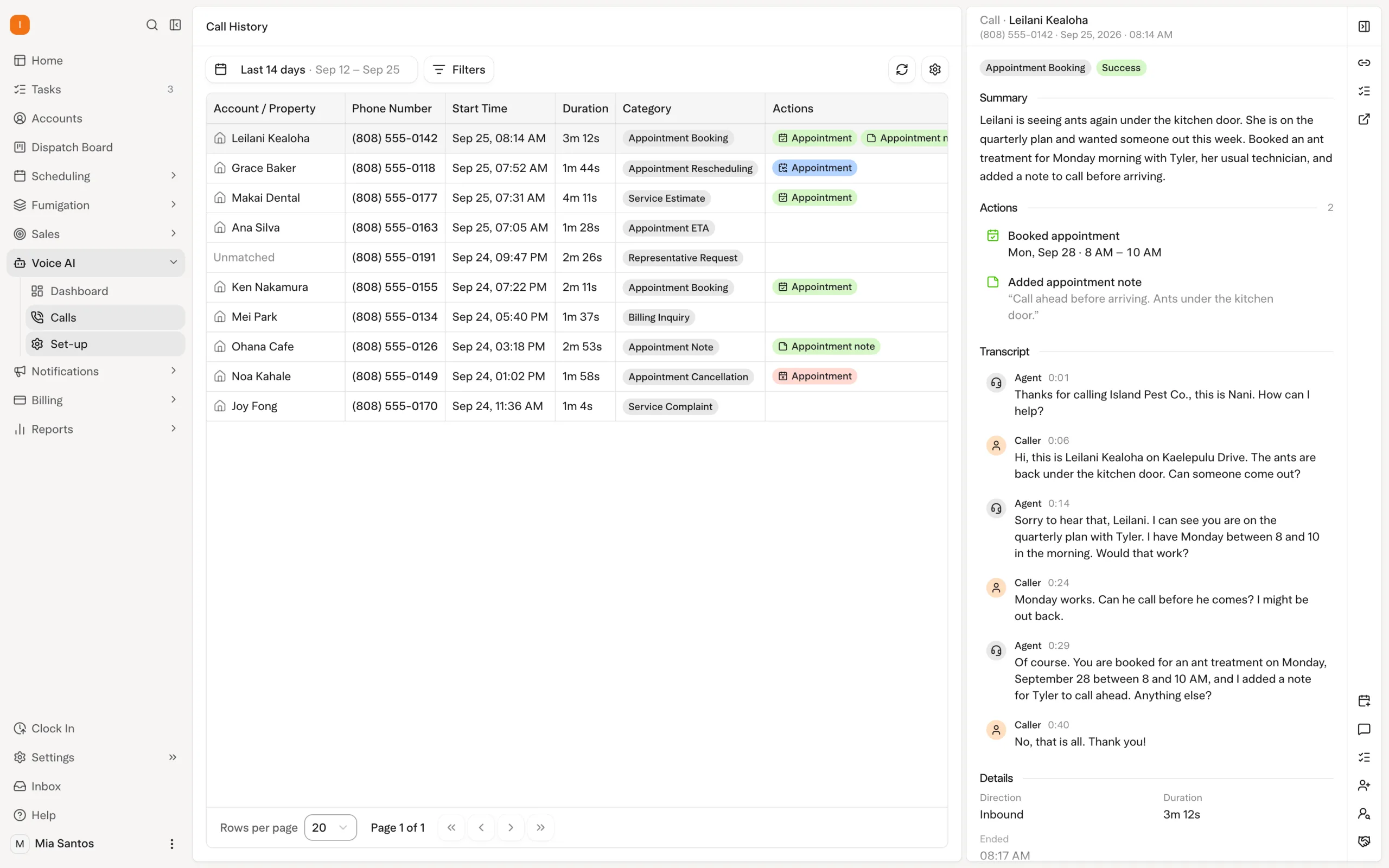
A customer may call because the next visit no longer works for them. Solea's AI voice agent can handle enabled booking, rescheduling and cancellation requests within your configured rules. If the request needs a person, the agent follows the handoff your team has set.
The office should define both the permitted actions and the transfer behavior during and outside office hours. A useful demonstration includes a routine request the AI can complete and a request outside those rules. That shows the customer's experience across both outcomes.
The benefit is fewer routine appointment conversations waiting for someone in the office to complete them. Your team remains available for questions that require judgment about the customer or the service. Explore AI voice.
Keep reminders aligned with the schedule
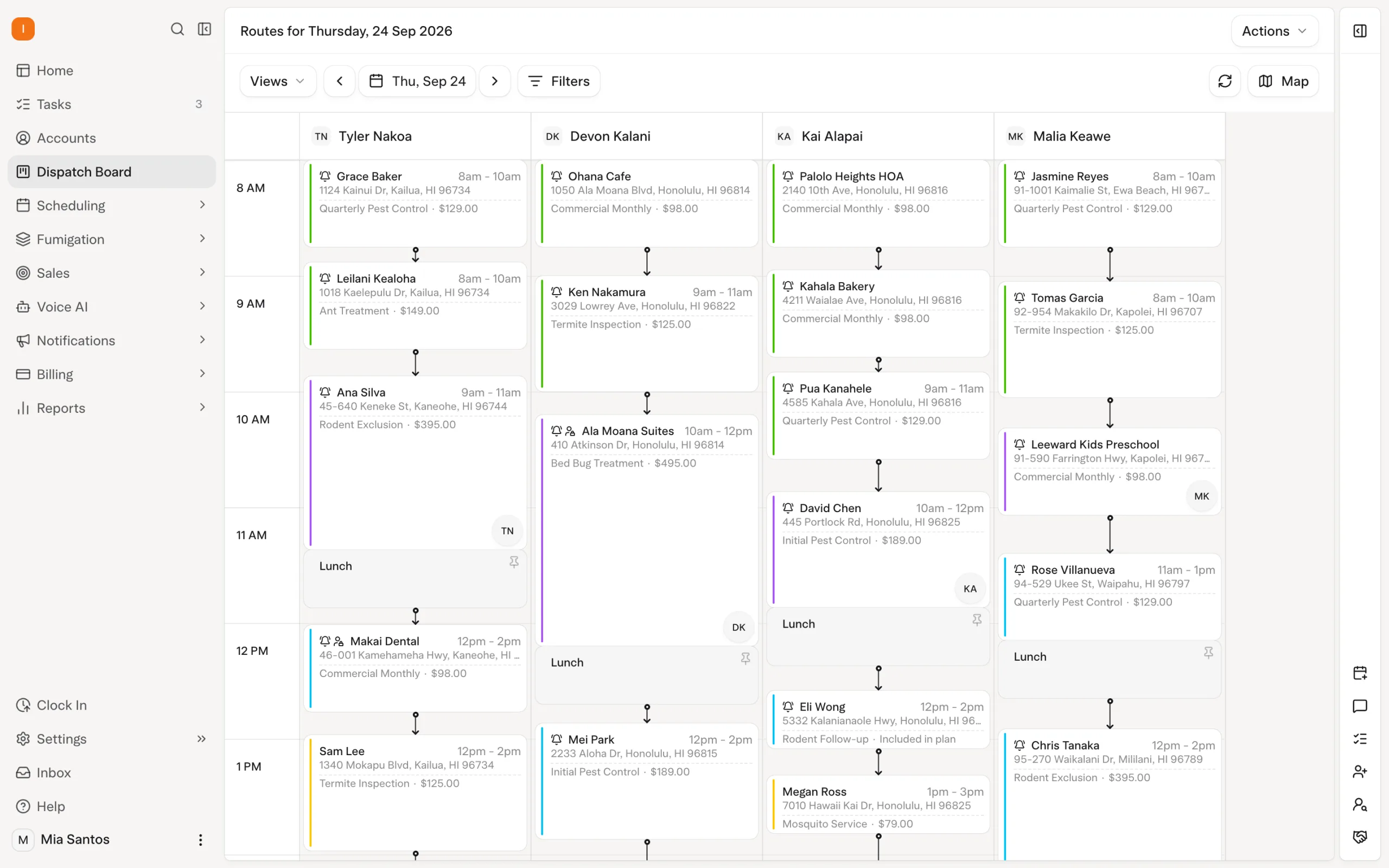
A reminder creates an expectation about the visit. That makes notification settings and AI scheduling controls part of the same customer experience.
Solea's scheduling optimization prepares upcoming work around constraints such as technician shifts, required skills and customer availability. Appointment locks protect visits that need to stay fixed. A configured notification can also lock an appointment after the customer has been notified, while the freeze window keeps near-term visits out of the nightly optimization.
During setup, follow a visit from scheduling through its notification. Confirm what the customer is told, which commitment is locked and how later changes will be handled. The office should understand those controls before relying on the workflow for daily service communication.
Explore scheduling and dispatch.
Send service and billing communication to the right people
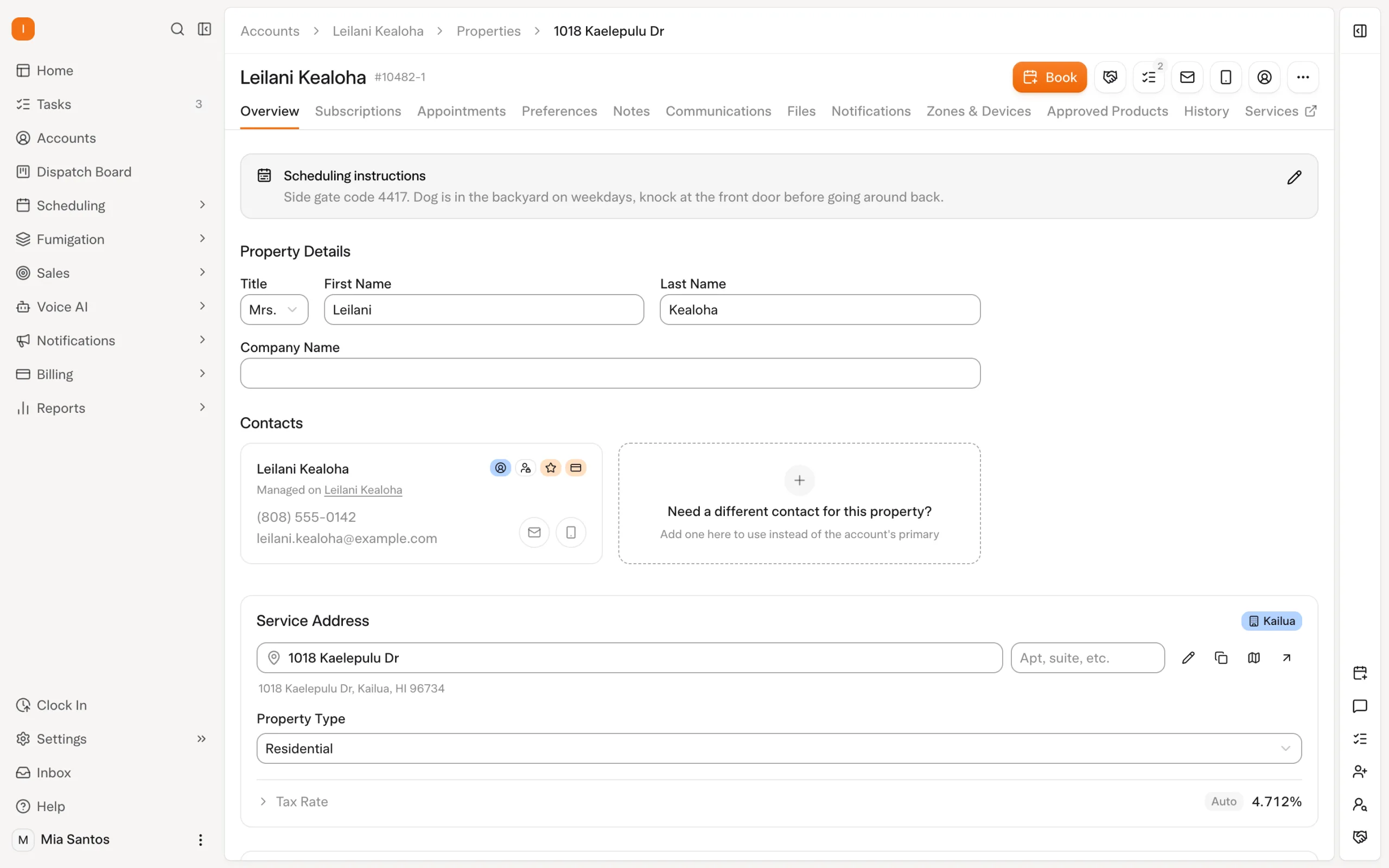
The person receiving a technician may be different from the person paying the invoice. For a customer with several properties, that distinction becomes especially important.
Solea separates the account relationship from the service properties. Its documented communication routing uses the property's email for service notices and account contact roles for billing communication. This gives automated messages a defined destination rather than relying on the office to remember who should receive each one.
For example, a fictional property manager might arrange visits at several buildings while an accounting contact handles payment. Review that kind of account during setup. Check the property-level service destination and the billing contact separately so routine notices follow the intended relationship.
Explore customer records and properties.
Automate payment follow-up around the invoice
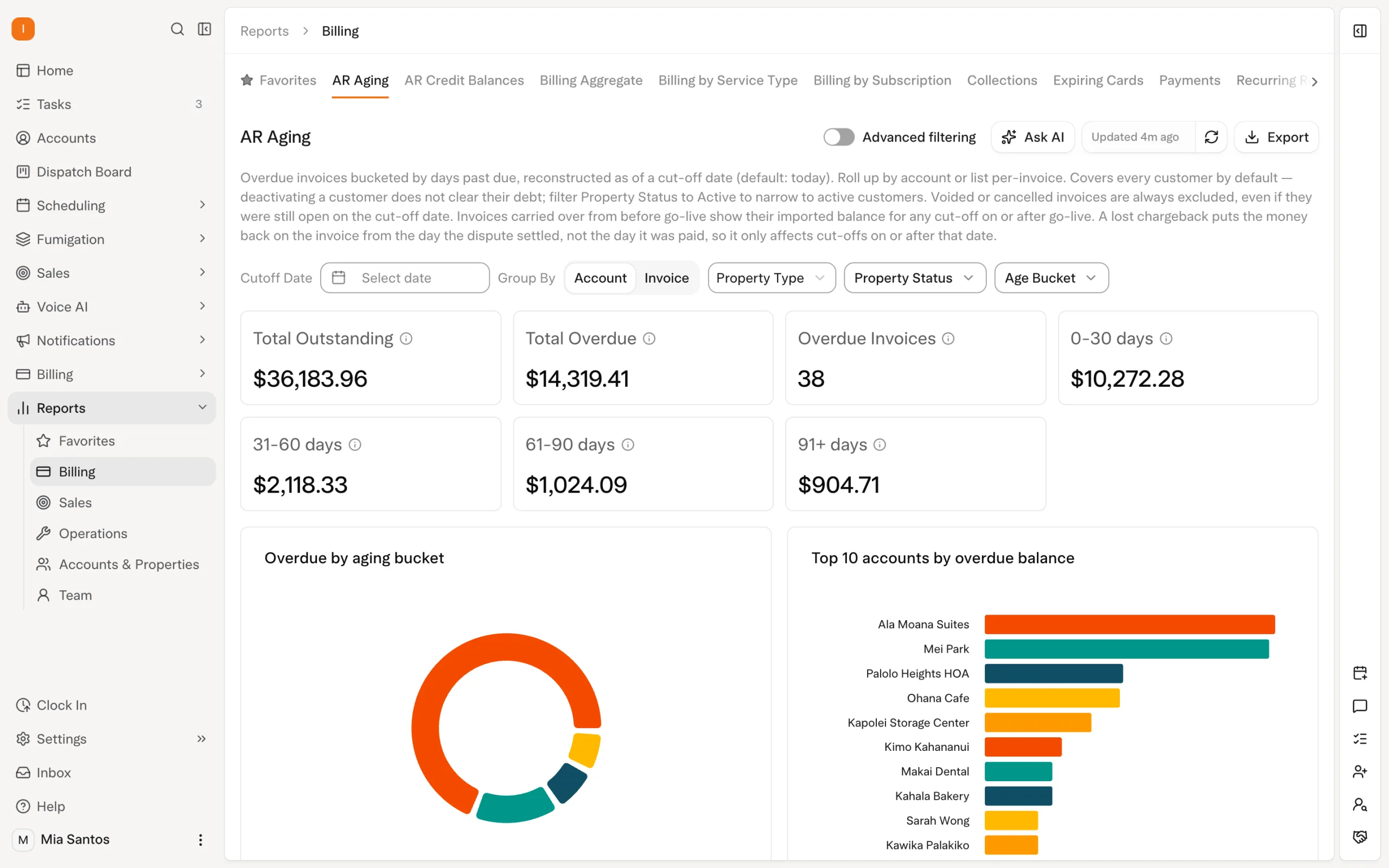
Solea's AI-native office extends into payments and collections. With auto-charge configured, a saved payment method can be charged after completion. A paid-invoice notification can send the receipt, reducing another routine step for the office.
For overdue invoices, the team can configure notification triggers by timing and channel. Available filters include customer type, service type and invoice amount. A payment link can be included according to the notification setup, giving the customer a way to act on the reminder.
This makes billing follow-up more specific than sending every customer the same message. Set the workflow around the accounts it should cover, and make sure the team knows how to handle a customer who raises a service concern or questions the balance. Explore billing and payments.
Give the office control over exceptions
Customer follow-up needs room for individual circumstances. Solea supports notification preferences at account and property level, including turning off a notification or channel for a particular customer context.
Use that control deliberately. If the team agrees to handle a specific conversation personally, check the relevant notification settings as part of that decision. Assign responsibility for the next action so a change in automation does not leave the customer waiting.
This is an operating practice to establish with your team. AI and configured automation take care of repeatable work; your staff bring the context and judgment needed for exceptions.
Test the complete customer experience
A demonstration should show the action, the customer communication and the exception path together. Use representative examples from your own business and check the enabled settings before drawing conclusions about how a workflow behaves.
| Scenario | What to demonstrate |
|---|---|
| A caller wants to change a visit | Show the AI completing an enabled request and handing off a request outside its rules. |
| A customer has received a visit notice | Show which appointment lock applies and how AI optimization respects it. |
| Service and billing contacts differ | Show the destinations for the service notice and invoice communication. |
| A visit is ready for payment | Show auto-charge settings and the paid-invoice receipt notification. |
| An overdue account needs personal attention | Show the reminder's filters and the customer-specific notification controls. |
AI-assisted reporting can support the team's review of the operation. Bring the questions you need answered and check the records behind the figures. For billing follow-up, distinguish amounts billed from amounts collected; Solea's documented Billing Aggregate workflow supports that comparison.
Start with the routine work your office repeats
Choose a recurring customer workflow and follow it through the platform: appointment help, scheduling, service communication, payment and any overdue follow-up. Agree the automation settings and who owns the exceptions, then test the experience with representative records.
Solea's end-to-end AI-native platform is designed to reduce routine back-office work while keeping the customer relationship connected to the service. Request a demo around your operation, or request a quote for your team.
Frequently asked questions
- What is customer follow-up software for pest control?
- It helps a pest control business manage communication and actions between visits, including appointment help, service notifications and payment reminders. Solea connects these workflows to customer records, AI voice, scheduling and billing in an end-to-end platform for teams with 5+ technicians.
- How does Solea use AI for customer follow-up?
- Solea's AI voice agent handles enabled appointment requests, and AI scheduling prepares upcoming work within configured constraints. Payment and notification automation supports receipts and overdue follow-up, with AI-assisted reporting for management review. Specific service and billing messages follow the triggers and settings your office configures.
- Can Solea's AI reschedule a customer appointment?
- Yes, when rescheduling is enabled for the AI voice agent and the request fits the configured rules. The team defines permitted actions and handoff behavior. Demonstrate both a request the agent can complete and one that needs the office so you can assess the full customer experience.
- Can service and billing notices go to different people?
- Yes. Solea's documented routing uses the property's email for service communication and account contact roles for billing communication. Check those settings when a customer has multiple properties or when a different person handles payment. Accurate contacts help automated messages reach their intended destination.
- Can overdue payment reminders be automated?
- Yes. Solea supports overdue notification triggers with configured timing, channel and filters such as customer type, service type and invoice amount. Reminders can include a payment link according to the setup. Receipt communication uses a paid-invoice notification when that notification is configured.
- Can we change follow-up for one customer?
- Yes. Notification preferences can be controlled at account and property level, including switching off particular notifications or channels. Review the relevant settings when a customer needs an exception, and assign someone to own any personal follow-up that replaces the automated communication.


 Overnight