7 customer records to get right before automating your pest control office
Prepare customer, property, contact, scheduling and payment records so pest control CRM automation acts on the right information.
Last updated
Pest control CRM automation works best when the customer record tells the system what the office already knows: where the service happens, who receives each message, what the visit requires and how the account pays. Start with seven record types before expanding automation across your operation.
Solea connects that information to AI scheduling, field work, payments, collections and AI-assisted reporting. It is an AI-native platform for companies with 5+ technicians, from mid-market through enterprise. The purpose of better data is practical: let the platform handle routine office work while your team looks after customers.
This is a setup guide for the information automation uses. For retaining the record of past visits, see our CRM guide. For moving between systems, use the migration checklist.
1. The account that owns the relationship
Decide which customer belongs on the account before adding service addresses. A homeowner with one property is straightforward. A property manager responsible for several buildings needs an account structure that keeps the customer relationship together without blending the buildings' service details.
In Solea, accounts and properties are separate concepts. This gives AI scheduling and configured billing workflows the right operational context. A correctly named account also makes office searches easier when a customer calls about a visit or invoice. Explore customer management.
2. Every property where work takes place
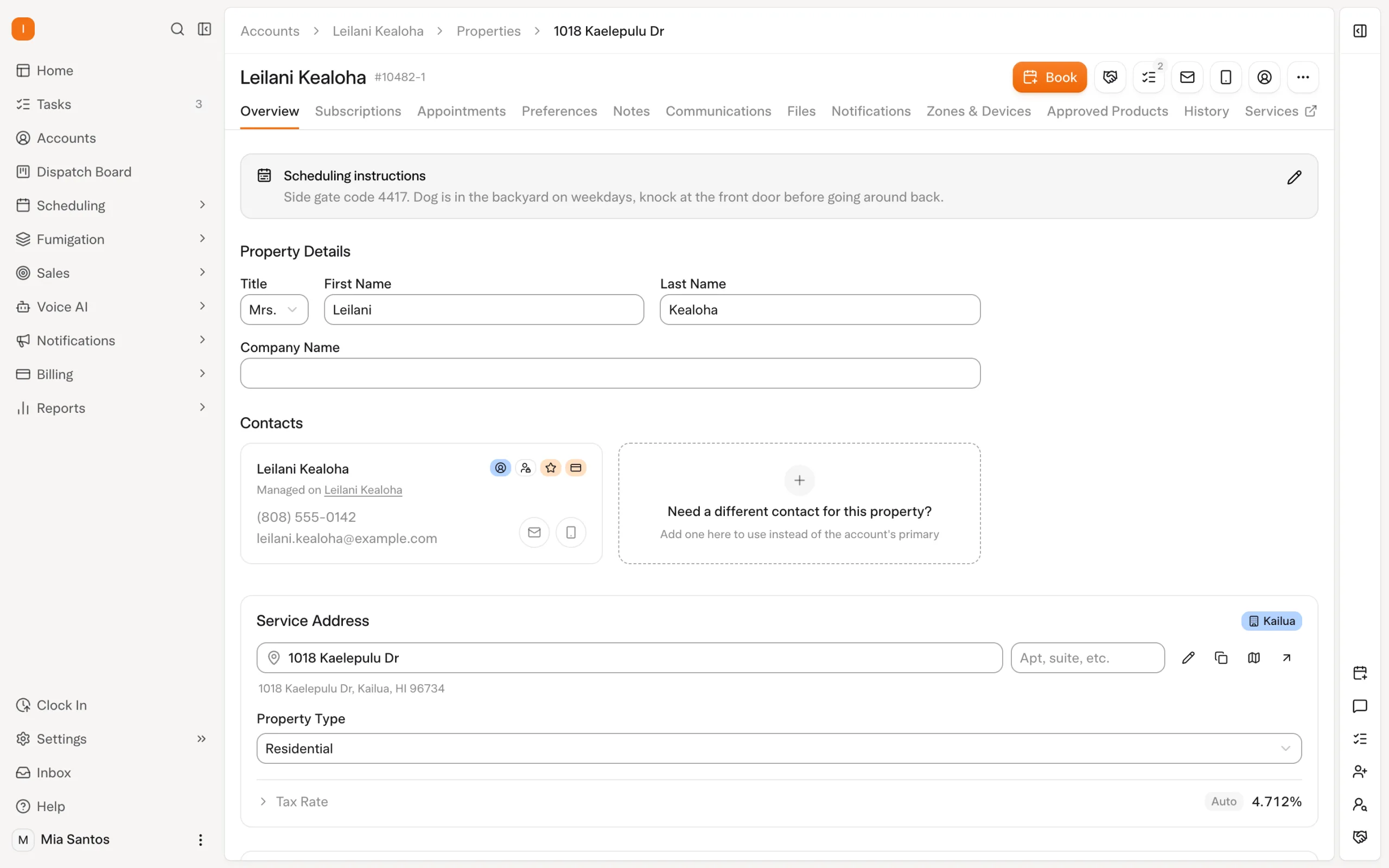
Create a distinct property record for each serviced address. Check the address against the actual location, then put site-specific information on that property. A loading-bay entrance at one building should not become an instruction for every location on the account.
Imagine a fictional customer with an office, warehouse and retail unit. The three properties can share an account while retaining their own service context. AI scheduling needs the location of each visit; the technician needs the instructions that belong to that location. Read our multi-property CRM guide for the broader workflow.
3. The people receiving service and billing messages
Confirm who needs the visit reminder and who handles the invoice. They may be different people. A commercial site contact should not need to forward every billing message to a finance department, and the billing contact may not be the person opening the building.
Solea routes service emails through the property's email and billing messages through account contact roles. Correct contact information makes configured notifications useful without the office redirecting each message. Review these fields when responsibility for an account changes; an automated message sent to an obsolete address has not completed the communication job.
4. The service the customer actually receives
Keep the ongoing service relationship distinct from an individual appointment. The next visit needs a service type and the requirements relevant to that work. A specialist inspection and a routine exterior treatment should not be treated as interchangeable jobs simply because they occur at the same property.
This is where the customer record becomes an input to AI scheduling. Check that service requirements match the operation before relying on automation. Use our recurring customer management guide to connect the ongoing relationship with scheduled visits.
5. Scheduling preferences and hard requirements
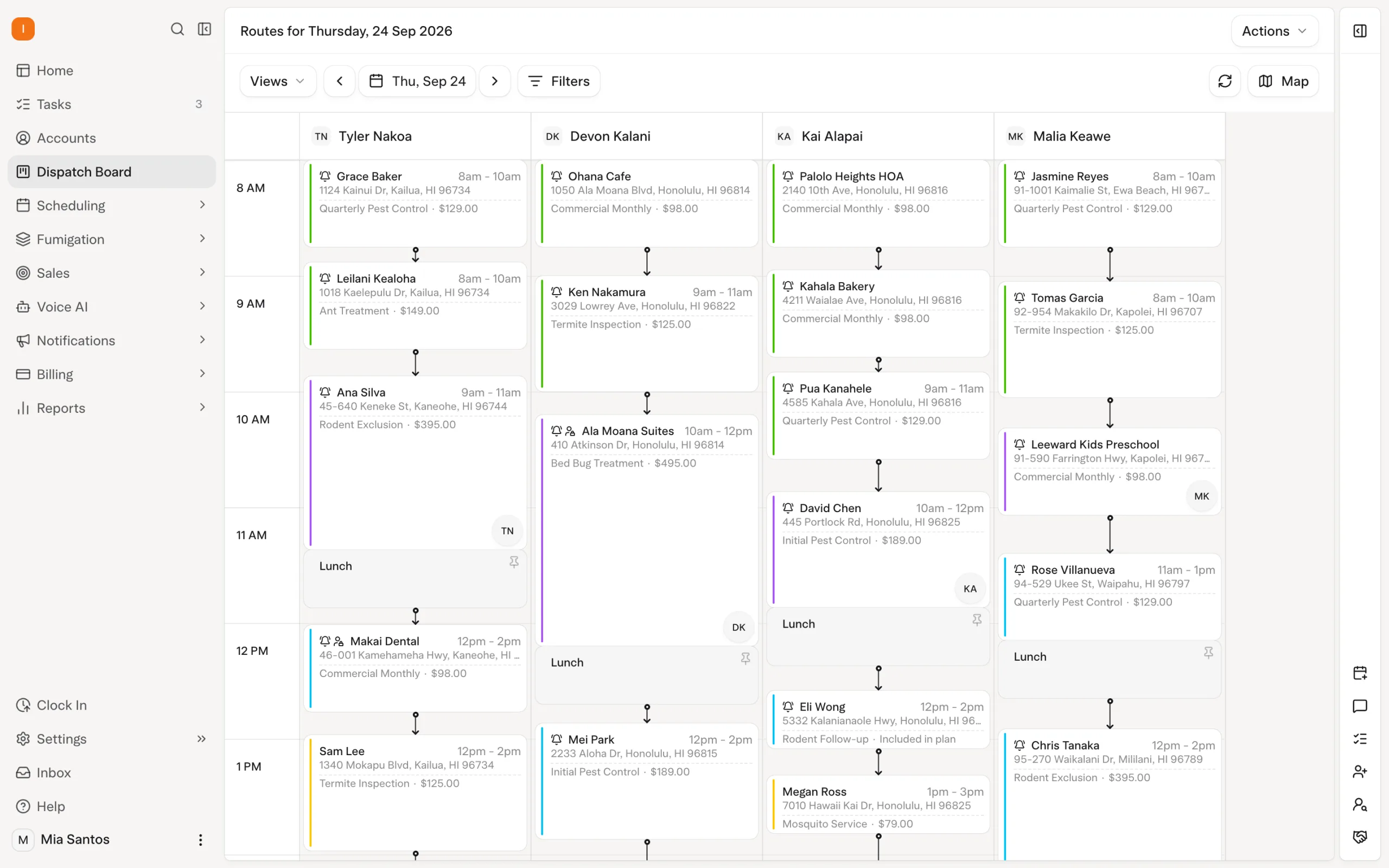
Separate a preference from a requirement. A customer may prefer a familiar technician, while a service requires someone with a specific skill. Put each into the appropriate structured setting rather than assuming an informal note becomes a scheduling rule.
Solea's AI scheduling considers customer constraints, technician availability, required skills and drive time. A dry run lets the office inspect a proposed optimization before a separate live run changes work. Clean inputs make this review meaningful: the office can evaluate the plan instead of discovering that an important constraint never reached the scheduler. Explore AI scheduling.
6. Notes and documents in the right place
Use customer notes for information relevant to the relationship and appointment notes for the particular visit. Keep property photos and documents attached to the location they explain. The aim is continuity: another qualified technician should be able to understand the work without asking the office to reconstruct the last visit.
The field team still records what happened. AI scheduling and the connected office workflow act around that record; they do not make an inaccurate treatment note correct. Review a sample of records with a technician before calling the setup complete.
7. Payment settings that match the agreement
Check the account's saved payment method, billing arrangement and notification setup. Demonstrate a normal completed visit and an unpaid invoice. Confirm what triggers a charge, what sends a receipt and which follow-up rules apply.
In Solea, configured auto-charge can collect against a saved method after the applicable completion step. Paid-invoice notifications and overdue rules handle routine follow-through when set up. These workflows connect customer data to the payment side of the AI-native platform. Explore billing and payments.
Use a small record check before expanding
Choose representative residential, recurring and commercial accounts. Have the office verify the information, a dispatcher test the scheduling requirements and a technician check the field context. This is an editorial setup exercise, not a Solea import specification.
| Record | A useful acceptance check |
|---|---|
| Account | The customer relationship is named and searchable. |
| Property | Each service address has its own relevant instructions. |
| Contacts | Service and billing messages reach the intended people. |
| Service | The type of work and ongoing relationship are clear. |
| Scheduling | Required skills and customer restrictions appear in structured settings. |
| Notes and files | The next technician can find the relevant context. |
| Payments | Charge, receipt and unpaid-invoice paths have been demonstrated. |
Assign a person to resolve each missing item and test the corrected record again. Once these representative accounts work, use the same checks across the rest of the operation. Request a demo to walk through the setup in Solea, or request a quote.
Frequently asked questions
- What customer data does pest control CRM automation need?
- Start with accounts, properties, contacts, services, scheduling requirements, field context and payment settings. These records support different actions. An address helps route the visit, a skill requirement affects technician assignment, and a billing role determines who receives payment communication. Check the information against the actual customer arrangement.
- Does Solea turn every customer note into an AI scheduling rule?
- Do not assume that it does. Put scheduling requirements into the documented preferences and service settings the scheduler uses. Notes still provide useful context for the office and field team. In a demonstration, verify the resulting assignment and the structured rule that caused it.
- Can one customer have several properties?
- Yes. Solea separates the account from its properties so a customer relationship can cover several serviced locations. Keep property-specific information with the relevant address and verify service versus billing recipients. This structure supports the connected scheduling, field and payment workflow without treating every location as the same visit.
- Who should check CRM data before automation goes live?
- Use the people who rely on it: the office for account and contact details, dispatch for service constraints, a technician for property context and billing staff for payment settings. This is a suggested review process. Assign unresolved questions to an owner rather than assuming software can infer the correct answer.


 Overnight