Switching from ServSuite to Solea: an AI-native operating model
Plan a ServSuite-to-Solea switch around AI workflows, verified records and launch checks, with Pest Tech Hawaii as a customer example.
Last updated
Switching from ServSuite to Solea is an opportunity to put AI in charge of routine back-office work across calls, scheduling, payments, collections and reporting. Solea is an end-to-end pest control platform built for companies with 5+ technicians, from mid-market through enterprise.
Pest Tech Hawaii provides a documented example: the Honolulu operator replaced ServSuite with Solea across an operation of approximately 16 technicians. Its experience gives buyers a concrete reference for the change. Your migration should still be scoped around your own records, services, payment setup and customer commitments.
How Solea is different
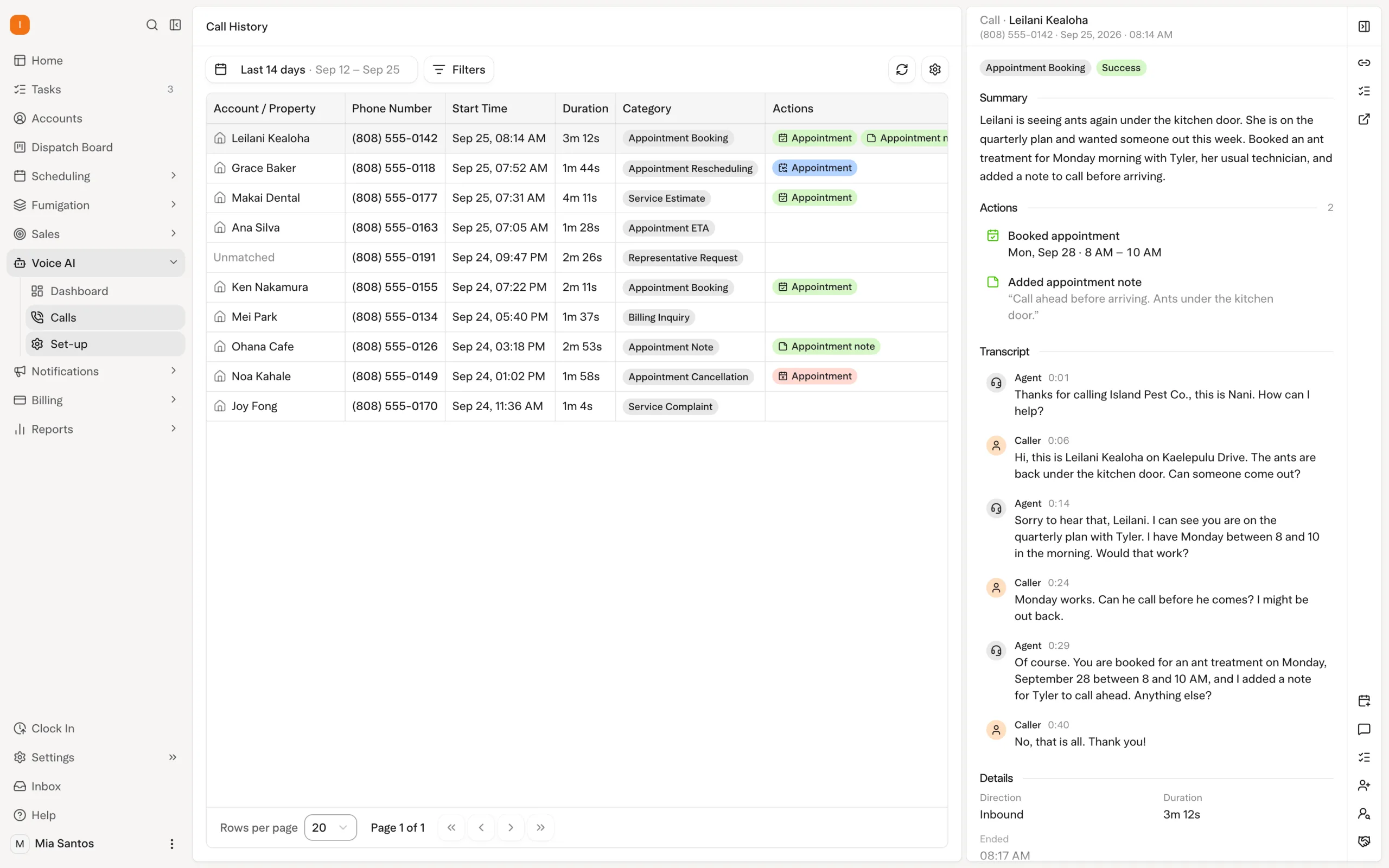
Solea connects the operating day in one AI-native platform. The AI voice agent handles enabled appointment requests, AI scheduling optimizes upcoming work, technicians record the service, and configured billing and communication workflows follow completion. AI-assisted reporting helps the office review the business.
The objective is to reduce the coordination work between those steps so your people can focus on service quality and customer experience. During evaluation, ask Solea to demonstrate that complete journey with a representative customer and visit.
| Routine office work | What Solea automates |
|---|---|
| Answering appointment calls | The AI voice agent can book, reschedule or cancel when those actions are enabled, within scheduling, coverage and account rules. |
| Building upcoming routes | AI optimization uses working hours, required skills, customer constraints and drive times. Locks and the freeze window protect visits that should stay in place. |
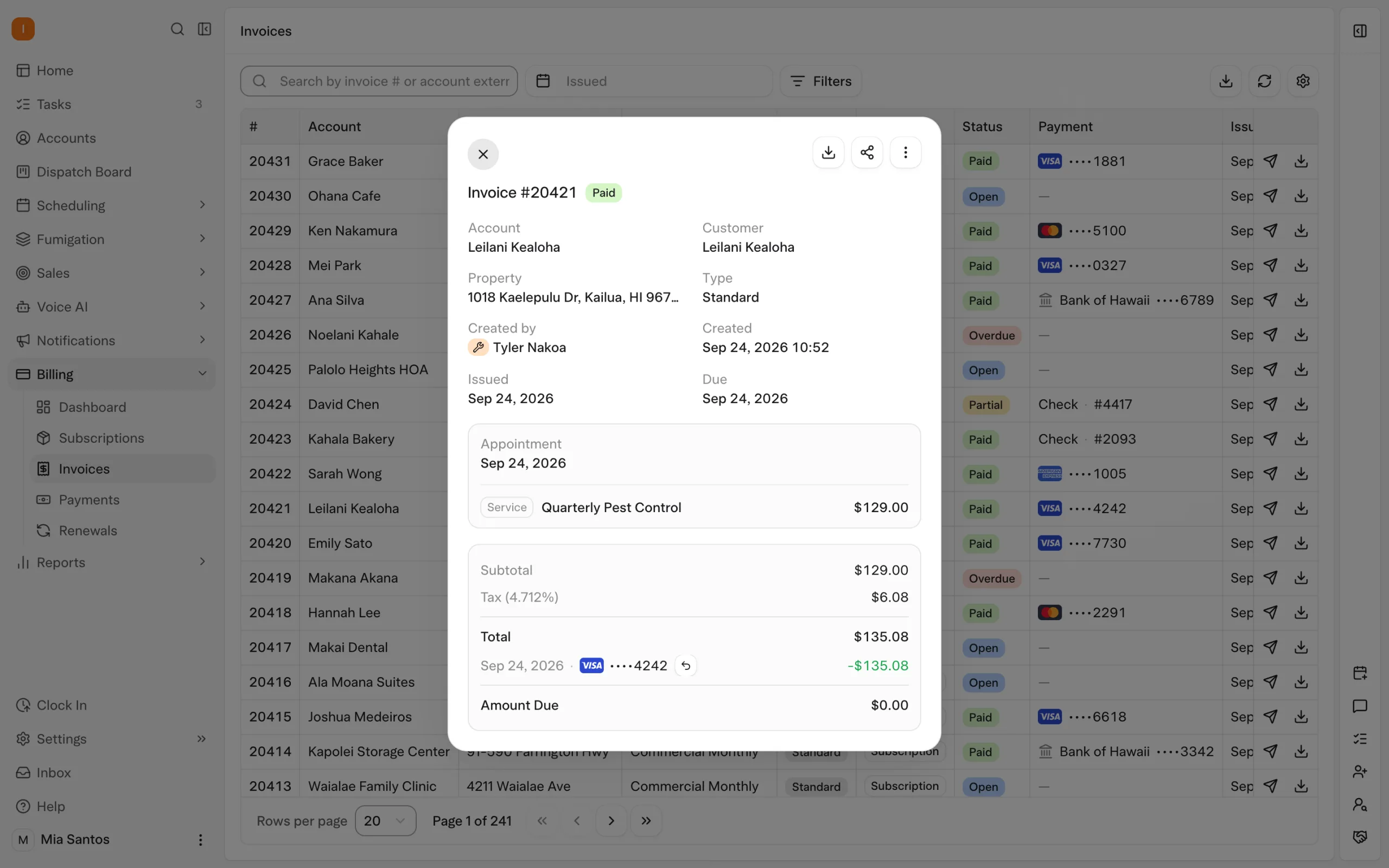
| Collecting payment after service | Configured auto-charge and payment notifications connect completed work to billing, within Solea’s AI-native office platform. |
| Following up on overdue invoices | Configured notification triggers send reminders that can include a payment link, reducing repeated collection follow-up. |
| Reviewing business performance | AI-assisted reporting supports the team’s review; demonstrate the reports and questions your office actually uses. |
These are Solea workflows, not a claim that ServSuite lacks any particular capability. Explore AI voice, scheduling and dispatch, and billing and payments.
A documented ServSuite switch: Pest Tech Hawaii
Pest Tech Hawaii’s published case study describes Solea coming to its Honolulu office for the migration, with an engineer working on the data. The team checked the records before making the final switch.
Solea reports the following customer outcomes:
| Measure | Before and after in the published case study |
|---|---|
| Drive time per stop | Approximately 24 minutes to 11 minutes, a 54% reduction. |
| Stops per route | 4.2 to 8.1. |
| Invoices paid the same day | 11% to 93%. |
| AI call coverage | Approximately 917 calls answered per month, around the clock. |
These are Solea-published results for one customer, not an independent benchmark or a promise of the same outcome. The before-state describes how Pest Tech Hawaii operated; it should not be read as a general statement about ServSuite’s functionality. Read the full Pest Tech Hawaii case study.
Work backward from a fictional launch date
Imagine your team chooses a Monday six weeks from now as its target launch. The following is an illustrative planning exercise, not Solea’s quoted migration duration. Agree the actual schedule after reviewing your data and dependencies, and move the date if the launch checks are incomplete.
| Planning point | Outcome to work toward |
|---|---|
| Six weeks before launch | Agree the migration scope, responsible people and records to retain. Check your current contract and export access. |
| Four weeks before launch | Review a sample export, map the records and establish the payment-processor work required. |
| Two weeks before launch | Reconcile imported samples and balances. Test AI scheduling, voice rules and the service-to-payment workflow. |
| One week before launch | Train the office and technicians on representative records. Agree which system owns each action during the transition. |
| Launch day | Complete the final reconciliation and switch only after the agreed checks pass. |
| First week after launch | Review visits, call outcomes, payments and customer communications; resolve exceptions with the implementation team. |
For a more detailed checklist, use the pest control software migration guide.
Agree what moves before agreeing when
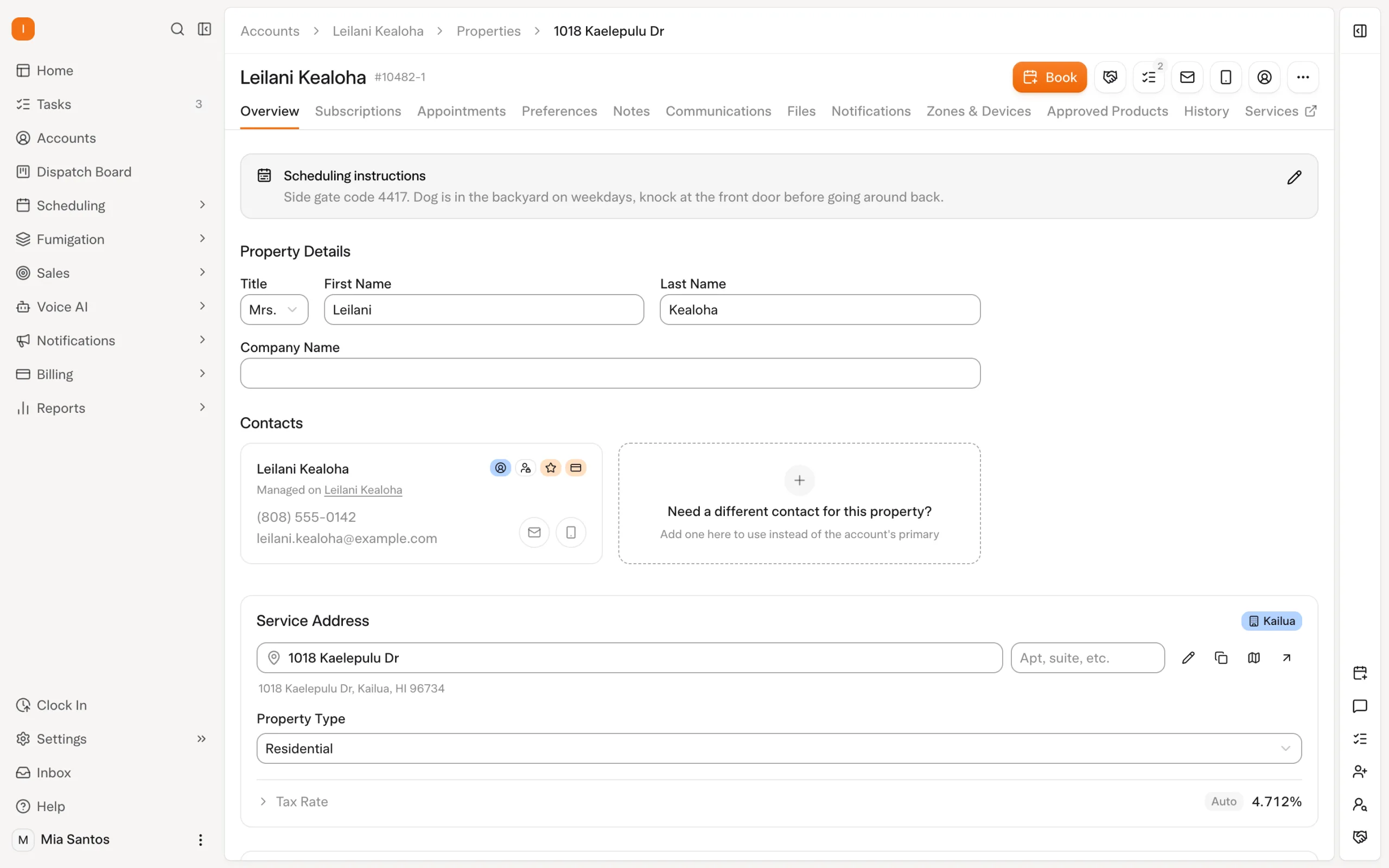
Use your ServSuite export to build a written migration scope. Review accounts and properties, recurring services, upcoming appointments, service history, invoices, balances, chemical records, attachments and inspection documentation. This is a checklist to investigate, not a promise that every item transfers automatically.
Select records that expose the difficult cases: multiple properties on one account, an unpaid invoice, a locked appointment and a termite service with historical documents. Compare the imported result with the original record and define how anything outside the migration scope remains accessible.
Payment methods need their own plan. Confirm processor requirements, ownership and readiness before enabling charges. An imported customer record does not, by itself, establish that a stored payment method is ready to use.
Test the complete visit before launch
Choose a visit that starts with an appointment call and ends with a customer report and payment. Confirm that the AI agent follows your rules, scheduling respects the required technician skills, and the field team can record the actual work performed.
For chemical applications, test product lookup, recorded amounts and mix calculations. For termite or WDO services, review the specific reports and forms your operation requires. Technicians remain responsible for the field record; the connected platform carries that work into the configured office workflows.
Then verify the invoice, applicable auto-charge, receipt and overdue-reminder settings. Review the resulting records through the reporting workflow your office will use. Agree who resolves an exception at each step before customers depend on the new setup.
Explore chemical tracking, inspections, and collections.
Build the switch around your operation
Bring your service mix, technician count, sample records and preferred launch window to the conversation. Ask for a written scope, a named implementation contact and the checks that must pass before launch. Request a quote or book a demonstration of the AI-native operating day you want to run.
Frequently asked questions
- Can Solea replace ServSuite?
- Yes. Pest Tech Hawaii is a published example of an operator replacing ServSuite with Solea. Solea combines AI voice, scheduling, field work, payments, collections and reporting in one pest control platform. Confirm your own service requirements, data scope and payment setup before treating that example as a fit for your business.
- Who has switched from ServSuite to Solea?
- Pest Tech Hawaii, a Honolulu pest and termite operator with approximately 16 technicians, replaced ServSuite with Solea. The published case study describes an on-site migration and checking data before the final switch. It is a useful customer reference, while the scope and support arrangements for your migration should be agreed separately.
- What results did Pest Tech Hawaii report after leaving ServSuite?
- Solea’s case study reports drive time per stop falling from approximately 24 to 11 minutes, stops per route increasing from 4.2 to 8.1, and same-day invoice payment rising from 11% to 93%. These are vendor-published customer outcomes, not independently verified benchmarks or guaranteed results for another operator.
- What data moves during a Solea migration?
- The answer depends on the agreed scope and available exports. Review customers, properties, services, appointments, history, balances and pest-specific records with the implementation team. Ask which items will transfer, how they will be checked and how excluded records remain accessible. Treat stored payment methods as a separate processor-dependent workstream.
- Do we run ServSuite and Solea in parallel?
- Agree the transition approach with the implementation team. If both systems remain available during validation, name the system responsible for scheduling, charging and customer notifications at each stage. Parallel access should support checking and training; it should not leave both systems independently charging customers or sending conflicting appointment messages.
- What about chemical/EPA and WDO during a ServSuite switch?
- Test chemical records, product amounts, inspection history and the WDO reports your operation requires against the proposed migration scope. Solea supports pest-specific field workflows, but that does not establish that every historical record or state form transfers automatically. Review sample records and required outputs before approving the switch.
- How long does migration take?
- Set the timeline after the team reviews data access, record quality, payment dependencies, training and launch checks. The six-week example above is fictional planning guidance, not a Solea delivery commitment. Agree milestones and a target date, then make launch conditional on completing the checks that protect your customers.
- Who owns the migration on Solea’s side?
- Ask Solea to name your implementation contact and document responsibility for data, payments, training and launch support. Pest Tech Hawaii’s case describes an engineer working on its migration on site. That customer’s arrangement is evidence of its experience, not a promise that every implementation includes the same staffing or travel.


 Overnight