Pest control CRM vs FSM: how the customer relationship connects to the work
Understand CRM versus FSM for pest control, and follow customer requirements through AI scheduling, field work, payments and reporting.
Last updated
Pest control CRM manages the customer relationship and its context. Field service management, or FSM, organizes and delivers the service. A pest company needs both: the customer information must guide the visit, and the completed visit must update the relationship and payment workflow.
The practical buying question is how those responsibilities work together. Solea connects CRM, AI scheduling, field work, payments, collections and AI-assisted reporting in one AI-native platform for 5+ technicians, from mid-market through enterprise. Its focus is automating routine back-office work across the customer journey.
What CRM answers for a pest company
A CRM helps the office understand who the customer is, which properties receive service and what the ongoing relationship involves. When someone asks about a previous visit, the office needs relevant account, property and service information rather than a name and phone number alone.
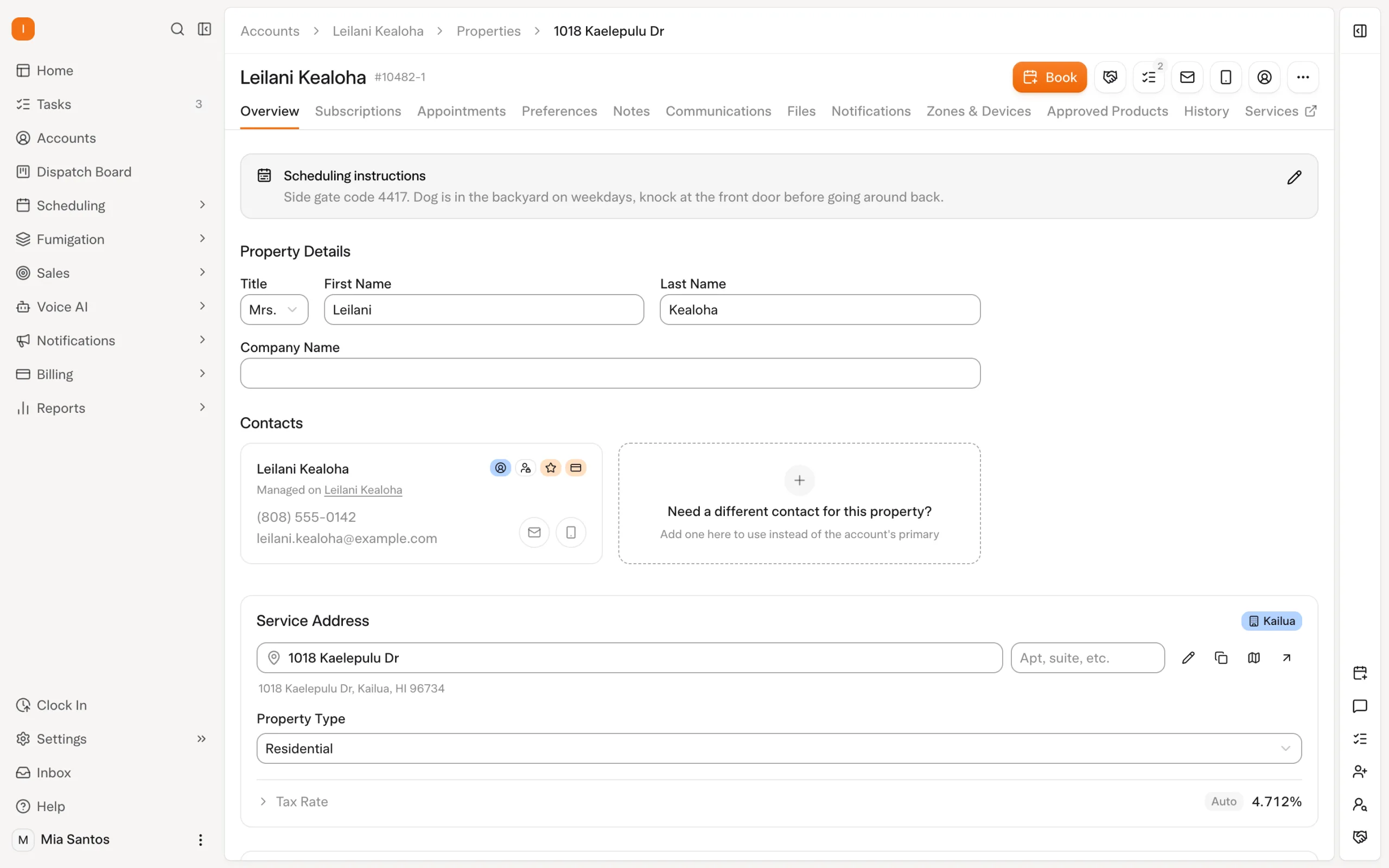
In Solea, account and property records supply context for connected automation. Contact roles and property email settings help route service and billing communication. Customer scheduling preferences inform AI scheduling. These are examples of customer data doing useful work beyond storage. Explore customer management.
What FSM answers for the same company
FSM connects the planned work with the people and time available to deliver it. It covers scheduling, dispatch, technician workflows and completion. For pest control, the plan may need to accommodate a required skill, a customer's unavailable day and a fixed appointment while still keeping travel practical.
Solea's AI scheduling prepares routes using technician and customer constraints. The field team then records the service through the app. Completion connects to configured payment and communication workflows, so the office is not left treating a finished visit as an isolated calendar event. Explore scheduling and dispatch.
| Question | CRM responsibility | FSM responsibility |
|---|---|---|
| Who are we serving? | Customer, contacts and property context. | The address and requirements for this visit. |
| What did we promise? | Ongoing service relationship and customer preferences. | Appointment timing, technician assignment and protected commitments. |
| What happened? | The context available for the next customer conversation. | Technician records and the completed service. |
| What happens next? | Communication and billing follow-through. | Remaining work, another scheduled visit or an exception needing review. |
These are practical responsibilities, not a rule that every software vendor uses the same terminology or module boundaries.
Follow one customer through both systems
Consider a fictional pest company with 22 technicians. A property manager adds a second building and asks that a specialist visit happen on a day when the site contact is available. The finance department remains responsible for payment.
The CRM part establishes the customer, second property and contact arrangement. Structured service and scheduling requirements make the request usable by the scheduler. The FSM part places the visit with appropriate capacity and carries the work into the field.
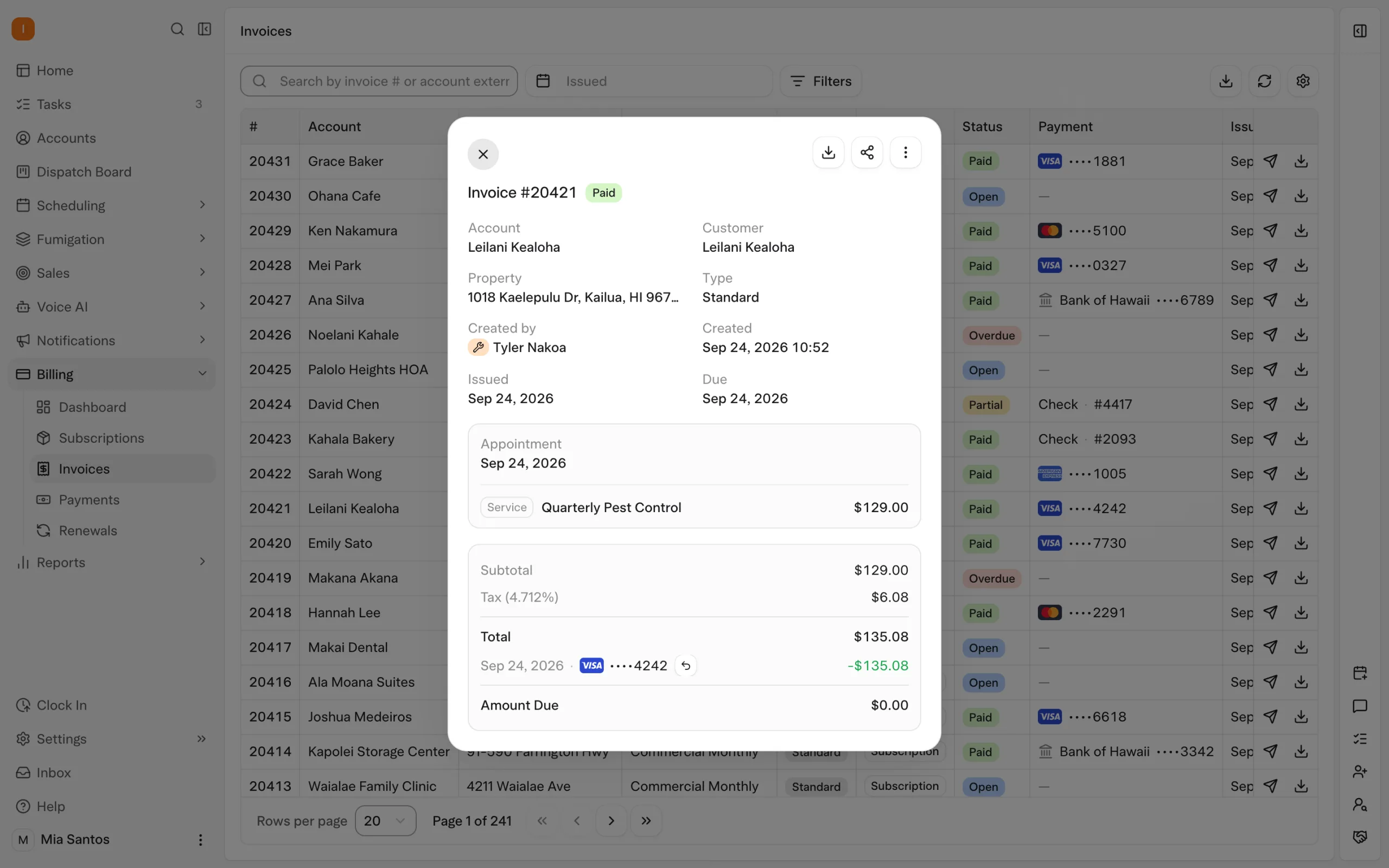
After service, the technician's record explains what happened. The configured billing workflow handles the applicable payment step and receipt, while unresolved payment or service questions remain visible to the team. One customer relationship has crossed both categories.
Where AI changes the relationship between CRM and FSM
Useful customer information should influence the next action. Solea's AI scheduling uses documented inputs such as availability, skills, customer constraints and drive time to prepare work. The office can inspect a dry run before a separate live optimization changes the schedule.
This makes the quality of the CRM setup important to the FSM result. A restriction stored in the right setting can guide scheduling. An instruction buried in an unrelated note should not be assumed to do the same thing. The buyer should see the input and resulting action together.
The AI-native approach extends across the operation. Configured auto-charge, receipts and overdue notifications automate routine payment follow-through; AI-assisted reporting supports management review. The specific trigger and control still matter. “AI” should describe useful work in the customer journey, not replace an explanation of how a workflow behaves.
When a CRM purchase is really an operations purchase
If the office's problem is finding customer details, better records may be the immediate priority. If the problem includes preparing routes, protecting commitments, completing visits and chasing payment, evaluate the whole operation.
For an established pest company, a contact database alone will not demonstrate whether tomorrow's work can be delivered. Equally, a route map alone will not show whether the office can answer a customer question or explain an unpaid balance. Set buying criteria around the actual problem you need solved.
Start with the CRM shortlist for customer-management evaluation, or the FSM shortlist for service delivery. Compare their strengths using the same customer scenario.
How Solea is different
Solea treats customer management and service delivery as parts of one AI-native platform. The customer record supports AI scheduling; field records connect service to billing; collections and reporting continue the work after the technician leaves. The intended benefit is less routine office handling and more attention available for customer experience.
That does not imply other vendors cannot connect CRM and FSM or offer AI. Evaluate which actions each platform actually performs, what configuration it needs and how the team handles exceptions. For Solea, include a fixed appointment, technician absence and payment exception in the demonstration.
Compare the workflow before choosing the label
Ask vendors to show the same customer across setup, scheduling, field service and payment. Record any duplicate entry, any required additional module and any step that still depends on an office follow-up. A clear demonstration is more informative than choosing software solely because it is labeled CRM or FSM.
Review the result with an office manager, dispatcher and technician. Each sees a different part of the relationship, and the purchase needs to work across those handoffs. Book a Solea demo or request a quote around your own service mix.
Frequently asked questions
- What is the difference between pest control CRM and FSM?
- CRM manages the customer relationship, contacts and service context. FSM plans and delivers the field work. In practice they overlap: customer requirements affect scheduling, and the completed service informs the next customer conversation and billing action. Evaluate the connection between those responsibilities rather than treating the names as rigid boundaries.
- Does a pest control company need both CRM and FSM?
- A pest company needs the functions of both, although they may be delivered in one platform. It must understand its customers and organize the work promised to them. The buying decision is whether the proposed system covers your required workflows and connects them without unnecessary duplicate handling.
- Is Solea a CRM or field service management platform?
- Solea combines both in an AI-native end-to-end platform. It connects customer management, AI scheduling, field work, payments, collections and AI-assisted reporting. It is built for companies with 5+ technicians, including mid-market and enterprise operators. Demonstrate the complete customer-to-payment workflow to evaluate its fit for your team.
- Does choosing one platform remove every office task?
- No. People still supply accurate customer and service information, configure operating rules and resolve exceptions. The point of Solea's connected automation is to reduce routine back-office work around that responsibility. Ask what happens when a visit cannot be placed or a payment remains unpaid, as well as when everything goes normally.


 Overnight