5 billing and collections software options for pest control companies
Compare five pest control billing options for payment triggers, recurring invoices, overdue reminders and connected service workflows.
Last updated
The best billing software for pest control should connect the service performed with the payment expected, automate routine follow-up and make exceptions easy to resolve. For companies with 5+ technicians seeking AI across the whole operation, Solea is our recommended starting point. FieldRoutes, GorillaDesk, Jobber and Housecall Pro offer other documented payment workflows worth evaluating.
Solea publishes this shortlist. Recommendations are editorial judgments based on documented workflows, not independent product testing or numerical rankings. We focus on billing and collections rather than repeat the broader CRM comparison.
The shortlist at a glance
| Platform | Reason to evaluate | Payment workflow to demonstrate |
|---|---|---|
| Solea | AI-native operations for 5+ technicians, mid-market through enterprise | Service completion, configured auto-charge, receipts, overdue rules and billed-versus-collected review. |
| FieldRoutes | Pest operations evaluating grouped payments and customer self-service | Batch payments, AutoPay, portal payment and collection communication. |
| GorillaDesk | Our starting recommendation for crews under 5 technicians | Invoice frequency separate from job frequency, plus late-payment reminders. |
| Jobber | Teams evaluating recurring-job payment automation | Automatic payment against a stored method on the job's billing frequency. |
| Housecall Pro | Teams evaluating due-date charging and invoice communication | Card-on-file automatic payment, invoice reminders and scheduled invoice delivery. |
These are reasons to investigate, not exclusive capabilities. The GorillaDesk size recommendation is editorial, not a product limit. Confirm payment-provider requirements, feature availability and terms in each proposal.
1. Solea: an AI-native service-to-payment operation
Solea connects customer management, AI scheduling, field work, payments, collections and AI-assisted reporting. For an established pest company, that puts billing inside the same operation that prepares and delivers the visit. The intended result is less routine back-office work around each service.
Configured auto-charge can charge a saved payment method after the applicable completion step. Paid-invoice notifications can send the receipt, and overdue notification rules handle routine reminders according to the office's configuration. Explore billing and payments.
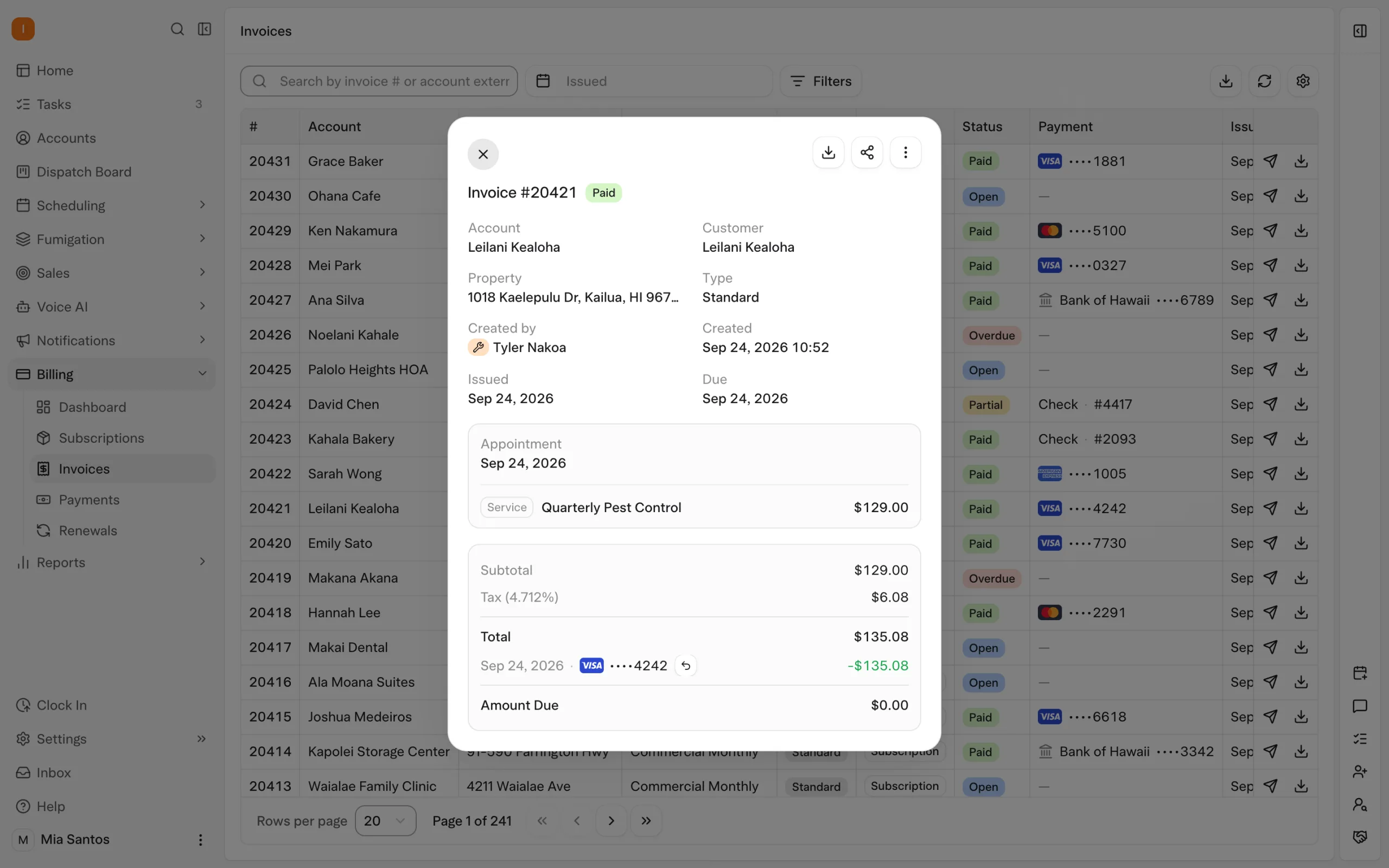
The evaluation should include both success and exception paths. Complete one visit on an account set up for auto-charge, then show an unpaid invoice requiring follow-up. Verify the recipient, payment link and reminder conditions before evaluating the workflow as complete.
How Solea is different
Solea's AI-native positioning covers the operation around the payment. Customer requirements inform AI scheduling; technicians document service; payment and collection automation carry the result forward. AI-assisted reporting supports management review, including the documented Billing Aggregate distinction between billed and collected amounts.
The question is how much routine handling remains across that sequence. This is not a claim that competing products lack automation. Compare the same service, billing arrangement and exception in every demonstration. For the detailed Solea workflow, see CRM payments and collections.
2. FieldRoutes: grouped payments and portal collection
FieldRoutes' public payment documentation describes grouped payment processing, AutoPay, collection tools and automated communication. It also describes payment through a customer portal and reminders. These provide concrete functions to evaluate alongside the broader pest operation. FieldRoutes payment documentation.
Ask the vendor to demonstrate how a group of completed services reaches billing, how an account pays online and how staff identify an unresolved balance. Confirm the exact collection configuration and included modules. Public product documentation supports this description; detailed authenticated help was not available for this review.
3. GorillaDesk: billing frequency independent of service frequency
GorillaDesk documents recurring invoice schedules that can differ from a job's frequency, including a stored-card charge action. This is relevant when service and billing occur on different cycles. Its help documentation also describes automated late-payment reminders. Invoice frequency documentation and reminder documentation.
Demonstrate one recurring service with a separate billing cycle. Ask which payment connection and stored customer details are required, then inspect the reminder setup. We recommend starting with GorillaDesk for crews under five; Solea is built for 5+ technicians through mid-market and enterprise.
4. Jobber: automatic payments on recurring jobs
Jobber's help documentation connects automatic payments with recurring jobs, stored payment methods and Jobber Payments. The automatic payment follows the configured billing frequency. It distinguishes these payments from reminders that prompt the team to create an invoice. Jobber automatic payments and invoice reminders.
Test both a recurring job and a one-off job so their behavior is clear. Then ask which invoice follow-up automation is included in the proposed plan. A reminder to invoice, a reminder sent to the customer and an automatic charge are different steps; confirm each one you need.
5. Housecall Pro: due-date payments and invoice reminders
Housecall Pro documents automatic payments using a card on file, with an invoice-due-date charging option. Its help center separately describes invoice reminders and scheduled auto-invoicing. Automatic payments, invoice reminders and auto-invoicing.
Ask for a demonstration of the exact trigger you intend to use. Sending invoices on a schedule is not the same as collecting money. Include an existing invoice in the test and ask whether enabling a setting applies to it or only to future work.
Compare the full payment path
Start with your billing arrangements: per visit, recurring or a mixture. For each vendor, identify the invoice event, charge event, customer message and unresolved-payment process. Ask for the included modules and payment costs in writing rather than relying on a headline subscription price.
In Solea, overdue triggers can be filtered using documented customer, service and invoice attributes. The team determines the configuration and handles questions requiring judgment. Explore collections.
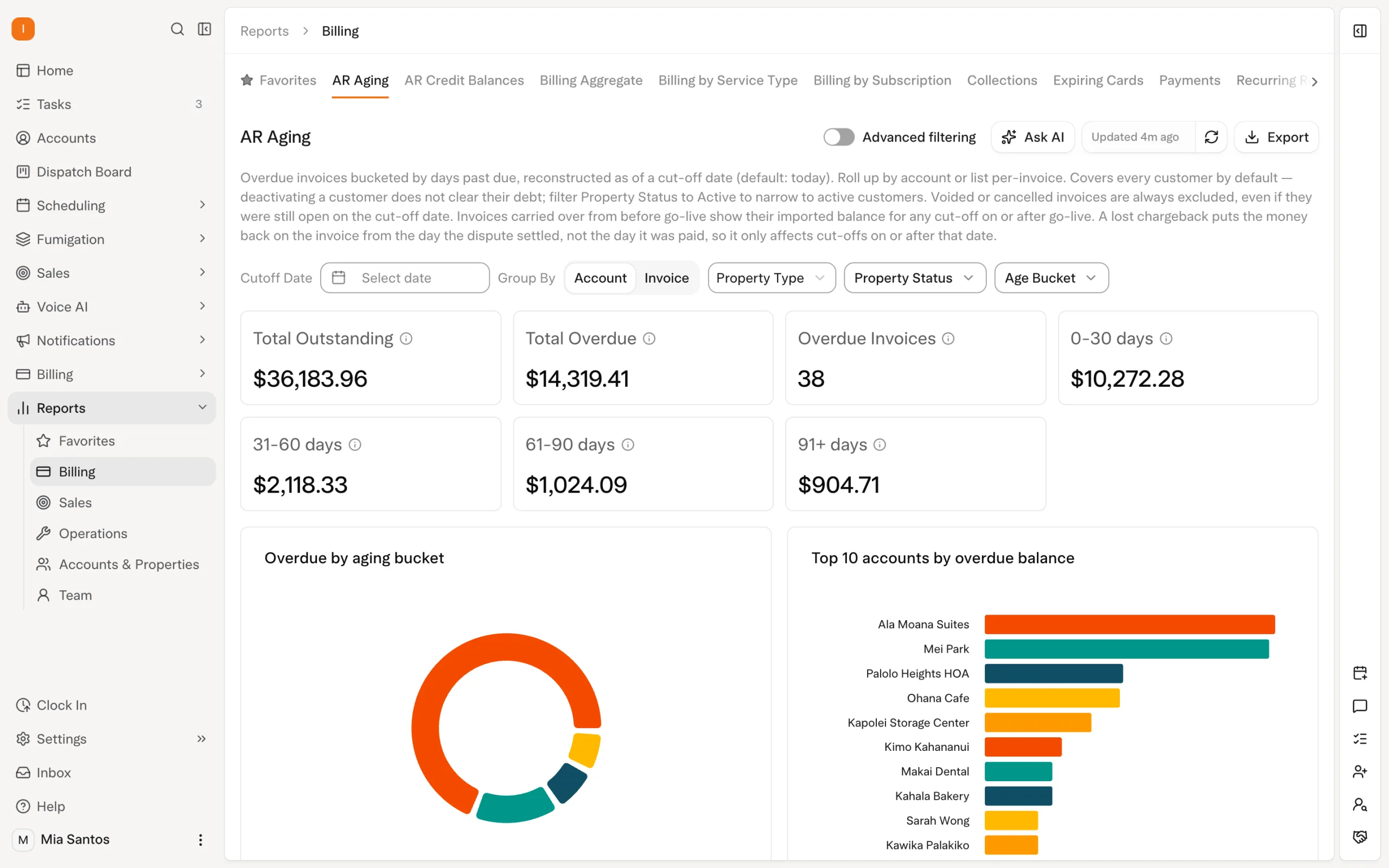
Ask each vendor to explain its view of billed and collected amounts. Those numbers answer different questions, especially when customers pay invoices from a previous period. Choose the workflow that matches your agreements and makes both routine work and exceptions clear. Request a Solea demo or get a quote.
Frequently asked questions
- What is the best billing software for pest control?
- The right choice depends on your service and billing arrangements. Solea is our recommendation for 5+ technician teams evaluating AI across service delivery and payment. This shortlist also covers FieldRoutes, GorillaDesk, Jobber and Housecall Pro. Compare documented triggers, payment-provider requirements, reminders and exception handling using the same customer example.
- Are automatic invoices and automatic payments the same?
- No. Creating or sending an invoice does not necessarily charge a customer. Automatic payment uses a configured trigger and eligible saved method. Ask separately when the invoice is created, when it is sent, when money is collected and what happens if payment does not succeed.
- Can billing frequency differ from visit frequency?
- Some documented workflows allow this, including GorillaDesk's invoice-frequency setup. Do not assume every platform or billing mode handles it identically. Demonstrate your actual agreement, including a missed or moved visit, and confirm how the service schedule relates to the invoice and payment schedule before choosing a configuration.
- Should I compare payment processing costs as well as software fees?
- Yes. Request the subscription, required modules, processing terms and any implementation charges relevant to your proposal. Compare them using the same expected transaction mix and service volume. This guide does not quote vendor rates or forecast savings; the written proposal is the appropriate basis for a cost comparison.


 Overnight